Tuesday, 21 October 2014

New Windows 10 Technical Preview build

New Windows 10 Technical Preview build includes notifications, battery saver, data monitor : Available


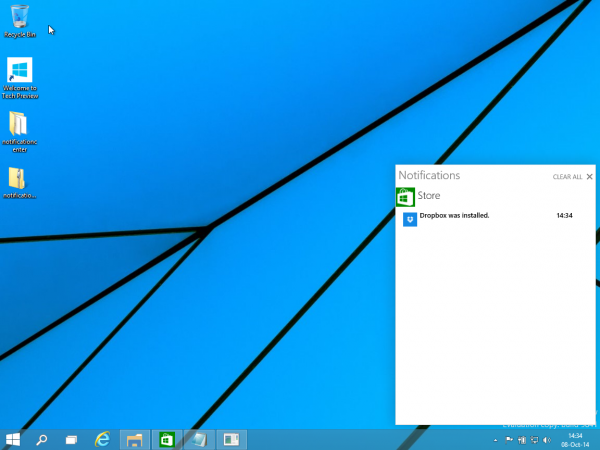
Windows 10 Technical Preview is a work in progress, and Microsoft began sending Build 9860 to enthusiasts and developers on Tuesday. The new code’s estimated 7,000 changes include a much-anticipated notifications function, as part of a new Action Center.
Users who’ve already downloaded the Windows 10 Technical Preview may check for new preview builds as part of the “Update and Recovery” option. The download totals between 2GB and 2.74GB, depending on CPU architecture and language, Microsoft said.
After installing, your PC will reboot and begin the provisioning process again, asking you for your Microsoft account. In other words, don’t have anything stored on that PC or partition that you’re not prepared to lose.
“Sometimes they’ll be more frequent and sometimes there will be longer gaps, but they will always be chock full of changes and improvements, as well as some bugs and things that are not quite done,” Gabriel Aul, the engineering general manager for the Operating Systems Group at Microsoft, wrote of the new builds. “As we’ve said, we’re sharing stuff early and moving quickly to do so. In fact, the build that we’re rolling out today is something that we ourselves only got a little over a week ago!”
windows 10 notification center
The new Action Center in Windows 10, with notiifications.
Of the 7,000 or so changes to the code between the older 9481 build and the new version, some of them are in response to suggestions made by users as part of the Windows Insider Program. 
The most important addition is notifications, which had been rumored to be an eventual part of Windows 10. In Windows 10, notifications will be part of the Action Center, Aul said, which will be accessible from an icon in the lower right corner of the taskbar, next to the date and time.
“You’ll see notifications from the system and apps—from new emails and invites to IMs, Facebook posts and more—all in one place, so you don’t miss a thing,” Aul wrote. Quick actions and a cleaner user interface will come later, he said.
After downloading the update, I—along with others online—also noticed two new additions have been ported over from Windows Phone: Battery Saver and Data Sense.
windows 10 battery saver
Battery Saver could be useful, although it's hard to say if it will duplicate the other power options available via the desktop Control Panel.
Of the two, Battery Saver seems far more useful, given that notebooks ship with a battery, but not a data connection—although that could be changing. Like Windows Phone, there are apparently provisions built in to prevent your tablet or notebook from syncing data in the background when the battery is low. Although there aren’t any additional settings to configure, it presumably dims the display and performs other power-saving functions.
DataSense does two things: displays your data consumption over Wi-Fi and cellular connections, and allows you to limit it as well. Right now, it’s most useful to determine how much data you’ve consumed.
Windows 10 DataSense
DataSense is also bare bones, for now.
The new build also adds a command to move apps quickly from one monitor to another: Windows-Shift-[a cursor key], adding to the keyboard shortcuts already in place. Microsoft also added an animation to indicate when a user is switching virtual desktops.
If these aren’t the features you want to see added, vote! Over 250,000 pieces of feedback have been sent to Microsoft via the Windows Feedback tool, 25,381 community forum posts, and 641 suggestions in the Windows Suggestion Box, Aul said. The latter category is where users have been busy suggesting new features for Windows 10. 
windows 10 preview builds
Is a new preview build ready? Check and see.

Steps forward, and back

The new build also allows users to be even more adventurous.  A new option in the “Preview Builds” menu of the “Update and Recovery” tab allows users to select either a “slow” or “fast” circle—to receive code either slowly, after the community tests it, or almost immediately. Naturally, the “fast” circle will also put users on the fast track to additional bugs. The build that Microsoft deployed today was sent to its own internal “Canary” team about 1.5 weeks ago, Aul wrote.
That doesn’t mean the new build represents a total improvement. In some cases, the UI of the technical preview went “backward” temporarily while Microsoft focused on how things work, not how they look: Internet Explorer glyphs may look garbled, and items on the Start menu might disappear, for example. Some machines may not sleep properly, and Wi-Fi functionality also regressed. That’s to be expected with a new build, Aul said.
Still, adding notifications could mean that other rumored features are on their way, too.

Friday, 17 October 2014

Apple Event Roundup

Apple Event (Oct) Roundup


On Thursday, Apple held its second product release event in six weeks. The 90-minute event at Apple’s headquarters here was a sombre affair compared to the mega-launch of the iPhone 6 and 6 Plus, Apple Watch and Apple Pay. This time the news was expected, however, Apple plenty of new hardware and software during the event.
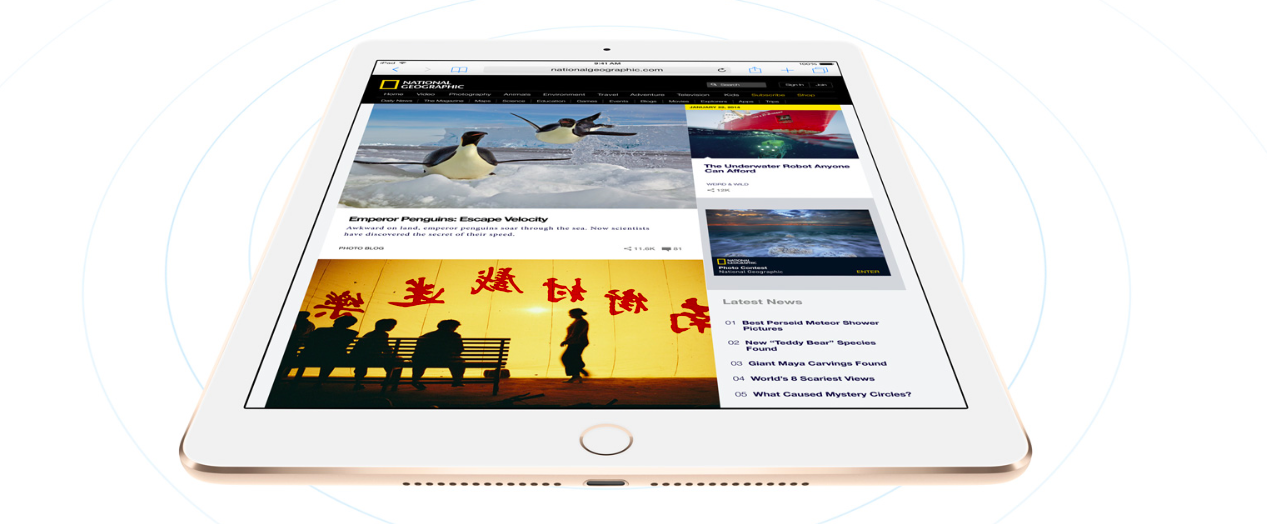
The company added to its product line the two new iPads, a 27-inch iMac with eye-popping Retina display, and OS X Yosemite, Apple’s latest desktop operating system. The iPad Air 2, iPad mini 3 and the devices will go on sale later next week in 29 countries (India is not on the list) while pre-orders open online today.
We are listing the important highlights of the event that will take considerably less time than it will take you to re-watch the event:

1. THE NEW IPAD AIR IS SKINNIER THAN EVER

Apple has relied on its time-tested strategy for updating a offering – make them thinner. The new device is only 6.1 mm thick, thinner than the new iPhones by almost 1mm. As expected, it is powered by the new Intel A8x Chip, a 2nd gen 64 bit architecture, which is 12 times faster than the current one. Apple claims that graphics performance of the new iPad Air 2 is 180 times faster, which gives console like gaming experience on the iPad Air 2. The tablets will feature a fingerprint scanner similar to the one found in the latest iPhones. The sensor enables people to use a fingerprint instead of a passcode to unlock the device, also can be used to make purchases using Apple Pay.
The new iPad Air 2 houses the 8MP iSight camera on the back with a f/2.4 aperture and supports HD video recording. Along with that, there is a front camera which features a new face time HD camera, burst selfie, slo-mo and more. The iPad Air 2 runs on the latest iOS 8.1 and features a LCD layer on the display and an anti reflective coating, reducing reflection by upto 56 per cent. The iPads are priced starting  $499 (16GB). The 64GB version is available for $599 and the 128GB for $699.

2. THERE ADDED A IPAD MINI TOO, WITH TOUCH ID

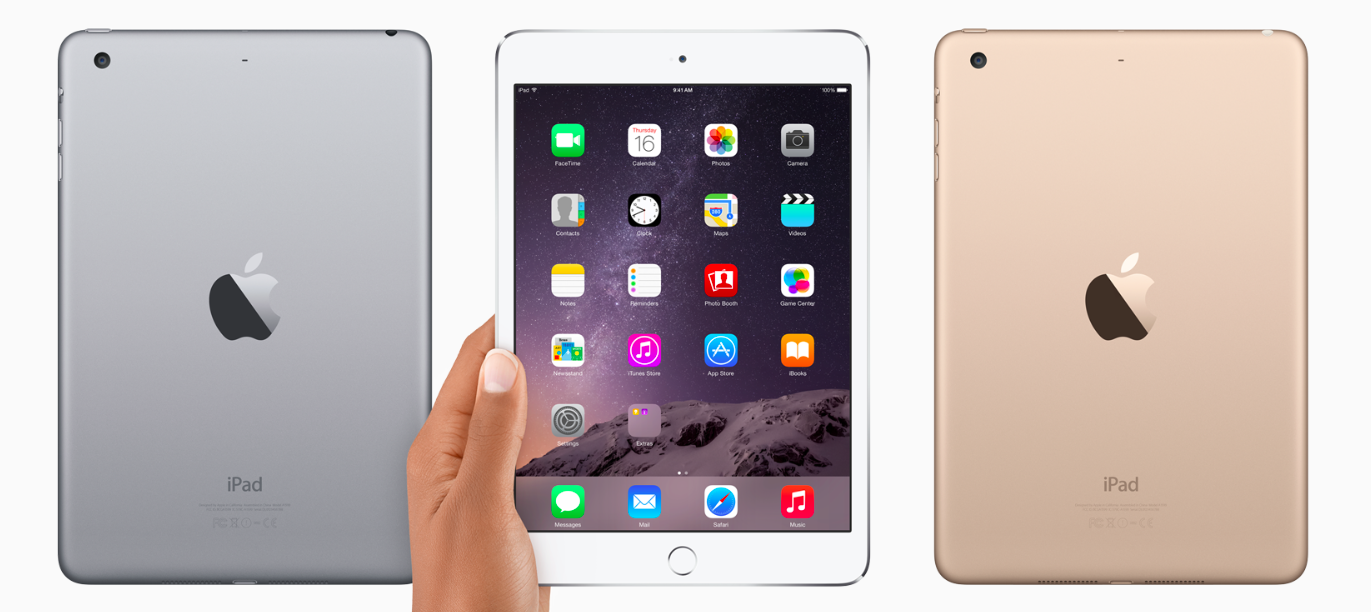
Apple confirmed the third generation iPad Mini featuring the new Touch ID fingerprint sensor during the event. iPad mini 3’s screen is at 7.9-inches with a 2048×1536 resolution at 326 pixels per inch (ppi). Apart from the Touch ID, it has the same Retina display with an aluminum coating at the back. It will be available in gold, gray and silver colour variants.
It features a 5 megapixel iSight camera and a FaceTime HD camera. The camera carries the iOS8 features such as time-lapse and panorama. This iPad features dual microphones, on the front and back. Instinctively, when you switch cameras from front to back (or vice versa), the microphones switch, too. The price starts at $399 (Rs. 24,574 approx.) for 16GB in Wi-Fi only, while the 128GB + LTE model will cost $729. Pre-orders start tomorrow and shipping starts by the end of next week.

3. APPLE PAY WILL GO LIVE ON MONDAY (ONLY IN THE USA)

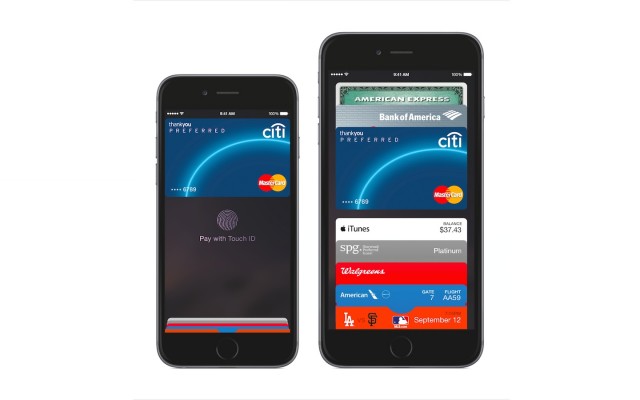
Apple confirmed it will begin rolling out the service next week on 20th October i.e. on Monday. Apple’s payment system allows people to bump their phones to pay for items in the 220,000 stores that have NFC (near-field communication) readers, as well as pay for items in apps by using the fingerprint scanner on Apple’s newest mobile devices.
Once third-party apps also use the Touch ID features, you can use this feature on other apps as well. As far as Apple Pay is concerned, it will be available only in the US and essentially allow users to replace their credit card with their device to make actual payments.

4. NEW IMACS COME WITH THE ‘WORLD’S HIGHEST RESOLUTION DISPLAYS’

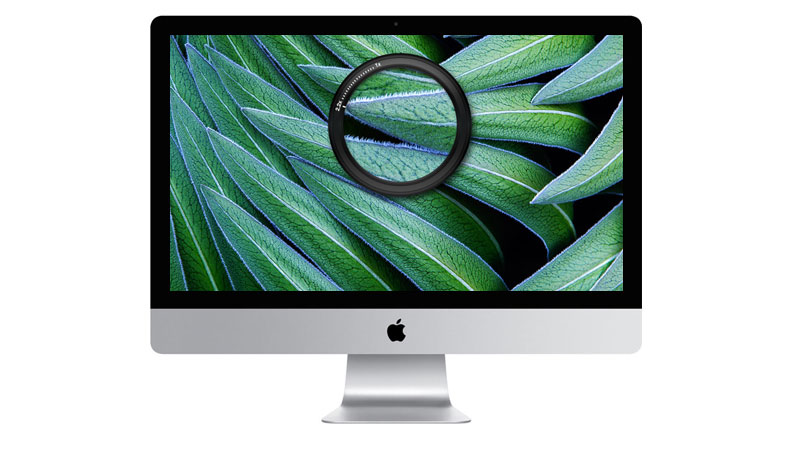
Along with Yosemite,  Apple is bringing out the updated version of iOS. They’ve spent time and effort taking in user feedback and have updated the problem-prone update.  iOS 8.1 brings the Camera Roll and iCloud Photo Library in beta, a feature that allows you to store all of your photos from all your devices in the cloud. The new iMac features a 27-inch display with 5210×2880 pixels resolution, which is 14.7 million pixels, which according to Apple, “is the world’s highest-resolution display”. Seven times more pixels than a Full HD TV, 67 per cent more pixels than 4k. The display is only 5mm thin at the edge.
The Oxide TF and a new low-power backlight helps it use 30% less energy despite the large display and heavy resolution. The base model runs on a 3.5GHz quad-core Intel Core i5 processor, AMD Radeon R9 M290X graphics card,  has 8GB of RAM, and a 1TB Fusion drive. The iMacs are priced starting $2499 (Rs. 1,53,913 approx).

5. DEVELOPERS CAN START WORKING ON APPLE WATCH APPS NEXT MONTH.

Apple Chief Executive Officer Tim Cook remained vague about when the company’s smartwatch will go on sale, saying only that it will be early next year. But the company is releasing WatchKit, software that will let developers start working on apps for the devices.

6. YOSEMITE IS ALREADY AVAILABLE

Taking continuity to the next level. Apple definitely is the first company to benefit from this because of its enormous hardware ecosystem. OS X Yosemite is the upcoming eleventh major release of OS X, Apple Inc.’s desktop and server operating system for Macintosh computers and it will be available from today. It can be downloaded from the Mac App Store for Free.
Yosemite gives you mirrored access across all Apple platforms for instant access. For example, the iPad recognizes what you’ve been working on and prompts you about it. You can stop working on the Mac, pick up your iPad and start working on your project right way without a second of lag. There is no need for third party apps. There is no need to open a cloud app and download the file, it’s always there.

7. IOS 8.1 WILL ROLL OUT ON MONDAY

Along with Yosemite,  Apple is bring out the updated version of iOS. They’ve spent time and effort taking in user feedback and have updated the problem-prone update.  iOS 8.1 brings the Camera Roll and iCloud Photo Library in beta, a feature that allows you to store all of your photos from all your devices in the cloud.

8. APPLE SIM IS A NEW IPAD AIR 2 HIDDEN FEATURE

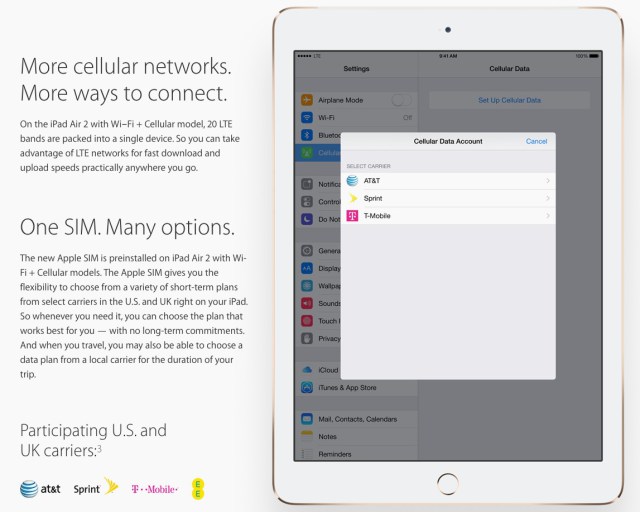
Perhaps the most interesting news about Apple’s new iPad Air 2 tablet is buried at the bottom of one of its marketing pages: It will come pre-installed with a new “Apple SIM” card instead of one from a specific mobile operator.
Apple explains, “The Apple SIM gives you the flexibility to choose from a variety of short-term plans from select carriers in the U.S. and UK right on your iPad. So whenever you need it, you can choose the plan that works best for you—with no long-term commitments. And when you travel, you may also be able to choose a data plan from a local carrier for the duration of your trip.” So far, Apple lists three of the top four US operators—AT&T, Sprint, and T-Mobile—as partners. In the UK, there’s EE, a joint venture between T-Mobile and Orange. Apple says participating carriers may change.

Tuesday, 30 September 2014

WINDOWS 10

NO WINDOWS 9... ITS WINDOWS 10....

YES...!!!!


Today Microsoft officially unveiled the latest version of its traditional computer operating system, curiously called Windows 10.
Touted as the company's "most comprehensive platform, ever," Windows 10 stresses a single product family, platform, and store. While the announcement covered quite a bit in terms of enterprise customers, general consumers have some changes to look forward to as well—one of which is an updated and familiar Start Menu.
Tech-Preview_Start-menu
The new version looks more like the pre-Windows 8 Start Menu, revealing a list of apps, folders, and a search bar, but to the side will be a series of Live Tiles. Essentially, you'll find a Windows 7 Start Menu with a Windows 8 twist. The search function works much like it does when typing from the Windows 8 Modern UI, revealing apps, files, and web results.
Windows 8-style apps can now be windowed within the traditional desktop, adding more flexibility in how you use them—currently, they can only be used at full-screen or within the confines of "snapped" windows. For the newly-designed windowed apps, you will be able to snap them to the edges of the screen like you would from the traditional Windows desktop.
Microsoft has also added a new multi-tasking feature that looks and works similar to what we see on other platforms. When you initiate "Task View" a series of small desktop views will be displayed at the bottom of the screen, with larger previews of the apps being shown off in the middle of the display. You can also quickly select and move around apps from different desktops with a new "Snap Assist" function, which will be nice for the power users out there.
Tech-Preview_Virtual-desktop
While a Windows 7-style Start Menu is good and all for mouse users, Microsoft will also introduce a different version for those using touchscreen computers. Instead of a small menu consisting of a bunch of text and small Live Tiles, touch users will be greeted with something that more resembles the Windows 8 Modern UI, while still in the traditional desktop. Microsoft is really working to blend its two distinct interfaces into one experience that works for all users.
If you want to get your hands on an early version of Windows 10, Microsoft will be launching its Windows Insider Program tomorrow, offering a preview build for both laptops and desktops. The company plans to discuss more about consumer-facing changes during the first part of 2015.
Windows 10 will be shipping later next year.


Saturday, 13 September 2014

ANDROID L VS IOS 8


ANDROID L VS IOS 8


Apple and Google have both recently unveiled their upcoming mobile operating system updates, with Apple's final iOS 8 due to be unveiled today on the iPhone 6 , while Android L will be released later this autumn. Google's offering is Android L, while Apple's is iOS 8. Here, we compare the two in our Android L vs iOS 8 comparison preview, to determine what's in store for iPhones, iPads, Android smartphones and Android tablets later this year.

Android and iOS are actually getting closer than ever, so there are many similarities to discuss in addition to the differences between the two rival operating systems. Read on to find out more about how they compare.

Android L vs iOS 8 comparison: Availability


As mentioned above, both iOS 8 and Android L will be released to the public this autumn, probably in September or October. There are ways to get your hands on iOS 8 and Android L now, though they're both in beta or preview versions so it's advisable not to install them on your main device.

You'll have to pay to join Apple's developer program if you want to start using iOS 8 (it's £60 per year) but you can get your hands on Android L for free. Here's how. Also see: Android L offers remarkable battery life, but it's no faster than KitKat

To run iOS 8, you'll need an iPhone 4S, iPad 2, iPad mini or later, and for Android L you'll need a Google Nexus 5 or Nexus 7.


Android L vs iOS 8 comparison: Design

The design of iOS 8 is mostly unchanged from the design of iOS 7, which is no surprise as it was iOS 7 that brought the major design changes. iOS 8 has that 'flat' design, ditching all signs of skeuomorphism in favour of minimalist aesthetics.

This year, it's Android's turn for a bit of a design change. Google has introduced a new 'Material Design' look for Android, which has also been offered to developers for use in their Android apps. Android L brings more depth to the operating system's appearance using shadows, and also automatically generates touches of colour based on the content being displayed.


Above: The dialler in Android L is a good example of the new design. It uses circles instead of squares, and is brighter and lighter overall. The icons along the bottom have been tweaked too.

Additionally, there are new animations and touch feedback, so the overall look and feel of the operating system is smooth and responsive.
Android L vs iOS 8 comparison: Features

When it comes to new features, both Android L and iOS 8 have many. We'll go through some of them here, and discuss how they compare to one another.
Android L vs iOS 8 comparison: Notifications

In Android L, you'll find new, enhanced notifications. You'll be able to get them on your lock screen, and they'll be automatically ordered in priority. You can swipe them away if you want to dismiss them, or double tap to open the relevant app.


Similarly, notifications have improved in iOS 8. They're now interactive, so you'll be able to reply to text messages, accept calendar invitations, snooze reminders and even Like Facebook statuses you're tagged in without even having to leave the app you're in. You can already swipe them to automatically go to the relevant app, but you can't swipe to dismiss them.


We'd say iOS 8 when it comes to its new notification features, and we're particularly excited about the new interactive capabilities they'll offer.
Android L vs iOS 8 comparison: Lock screen

As mentioned briefly above, Android L brings a new lockscreen to devices. In addition to being able to see notifications, you'll also be able to swipe up to unlock, swipe right to launch the dialler or swipe left to launch the camera.

In iOS 8, the lock screen is unchanged from iOS 7, offering notifications, slide right to unlock and slide up to access the camera. There's no way to quickly access the dialler, though.
Android L vs iOS 8 comparison: Multi-tasking

Multi-tasking in iOS 7 was already pretty good, but Apple has taken it a step further by adding recent and favourite contacts to the screen when you double click the home button to access the multi-tasking menu. These contacts appear in a swipable list along the top, to allow you to quickly and easily call, text or FaceTime call that person.


Android L brings multi-tasking to a new level for its users, too. Now, open apps will appear in cards in a carousel, which you can flow through by sliding up or down on the screen. To close an app, swipe the card to the left or right.

What's cool, and something that iOS can't do yet, is some apps will show multiple cards depending on how you’re using them. For example, if you've got multiple tabs open in Chrome, you'll see each of them as an individual card on the multi-tasking screen.


Android L vs iOS 8 comparison: Security

Google has introduced a new personal unlocking feature that'll enable users to unlock their smartphone or tablet without entering their passcode, but only when they are close enough to a device such as an Android Wear smartwatch.

Apple has its Touch ID fingerprint sensor, which is built-in to the home button of the iPhone 5S. In iOS 7, it was only able to unlock the device or be used instead of entering Apple ID details, but it'll be opened up to third-party developers with iOS 8, so users will be able to use their fingerprint to access other apps such as banking applications, for example.

Both Android L's and iOS 8's new security features won't be available to everybody, of course - if you don't own an iPhone 5S or an Android Wear smartwatch, you won't be able to use them.
Android L vs iOS 8 comparison: Battery life

We don't yet know exactly how Android L and iOS 8 will affect the battery life of the devices they're running on, but both let you identify how individual apps are using battery, and make improvements based on that information. Android L has an additional battery saving mode which iOS 8 doesn't.

Google claims that the new battery saving mode coming with Android L will give the Nexus 5 90 minutes more battery life.

We'd like to see Apple introduce a similar feature, as iPhones are notorious for their poor battery life.
Android L vs iOS 8 comparison: New developer features

Both Google and Apple have added some new tools for developers that could mean exciting new abilities will arrive on Android and iOS devices soon. It's particularly surprising that Apple has opened up iOS to developers a bit, as it's a company that has always been known for its closed nature.

Apple has introduced what it calls Extensibility, which basically means that apps in iOS will be able to 'talk to each other' like never before. For example, using 'Action extensions,' Safari could gain a Bing translate feature, taking advantage of the Bing app's capabilities. Or, Safari could gain a 'Pin' button for Pinterest users if the Pinterest app is installed. The possibilities here are endless, and extremely exciting for iOS users and developers.


Another element of Apple's extensions is 'Today extensions' which are actually widgets that can be chosen to appear in the 'Today' view in iOS 8's Notification Centre. Android has had home screen widgets for a long time, so Apple is bringing itself in line with its biggest rival with this feature.

Widgets and other extensions are much more restricted in iOS 8 compared with Android, though. Apple is keen to keep its operating system secure, and won't allow developers to release apps that are just widgets, or just keyboards (yep, iOS 8 allows third-party keyboards for the first time).


Google has added new features in Android L for developers, such as direct links to apps from Google searches in the Chrome browser (something that has been available for a while, but only for select developers until now).

There are many more new features for developers in both Android L and iOS 8, but we'd argue that iOS 8's changes in this area are more exciting, even if they are playing catch up in some cases.
Android L vs iOS 8 comparison: 64-bit

Apple used last year's iOS 7 to introduce 64-bit compatibility to the operating system, and that continues with iOS 8.

For Google, however, Android L represents the first time the operating system has been compatible with 64-bit devices. We expect to see many more smartphones and tablets with 64-bit chips to emerge in the coming year following the announcement. This should mean speedier and smoother performance and a big power boost for Android devices.
Android L vs iOS 8 comparison: Health & Fitness

Both Apple and Google have unveiled fitness and health tracking platforms for their upcoming operating system updates. Apple's offering is called Healthkit, which works with the new Health app, while Google's is called Google Fit for Android.

Both have similar purposes: they'll help you keep an eye on your health and fitness data thanks to the sensors on your mobile or wearable devices, and also some input from you. Healthkit and Google Fit are platforms for developers to take advantage of, but Apple's Health app is a bit like Passbook, pulling together data from other health and fitness apps into one, easy to access place.
Android L vs iOS 8 comparison: Hey, Siri. Ok, Google.

There's no doubt that Apple's new 'Hey, Siri' trigger to activate the voice assistant hands-free is a feature borrowed from Android's 'Ok, Google' activation for Google Now. However, this works only if the device is running on external power or if Siri is already open on screen.

Plus, also like Google Now, Spotlight in iOS 8 will let you search more than just what's on your phone. It can search the App Store, iBooks Store, Wikipedia, Maps, iTunes and more, and it'll bring up local movie showings, news trending among your friends etc.
Android L vs iOS 8 comparison: Handoff


Also new in iOS 8 is 'Handoff,' a feature that's going to be a huge boon for anyone with multiple Apple devices. It'll mean that, if you've been writing an email on your way home and have just arrived home, your Mac will automatically ask whether you'd like to pick up that email on OS X instead. It's not just for emails, either. Most Apple apps that work across both OS X and iOS will work with Handoff. You'll also be able to pick up calls on your Mac, and see all of your messages, even if they're not iMessages.

Some of these features are available for Android, too, though third-party apps are required and it's not quite as seamless or refined as Apple's Handoff. If you own a Chromebook, though, Android L will automatically unlock your laptop when your smartphone or tablet is close by, and your notifications will appear on both your laptop and your mobile device.
Android L vs iOS 8 comparison: CarPlay & Android Auto

With Android L, Google has introduced Android Auto, which is similar to Apple's CarPlay feature unveiled alongside iOS 7 last year.

They are both very similar services, using your smartphone to offer you information and controls on your dashboard's screen including maps, music and other apps. You can find out more about Android Auto here, and more about CarPlay here.
Android L vs iOS 8 comparison: Compatibility


Another factor to take into consideration when comparing these two upcoming updates is compatibility. iOS 8 will be able to run on the iPhone 4S or later, the iPad 2 or later and both generations of iPad mini.

Those with Android devices might have more trouble getting Android L straight away. If you own a flagship phone or tablet from Samsung, HTC, LG, Sony, Motorola or any other big name brand, you should get the update quite quickly. Those with Google's Nexus 5 or Nexus 7 should get access to it immediately when it's released to the public. HTC has said that HTC One M8 owners will get Android L within 90 days of its release, but we've not yet heard from other manufacturers. We'll update this article when we find out more.
Wednesday, 10 September 2014

Apple Watch vs Moto 360


Apple Watch vs Moto 360

Apple watch Features Design 15

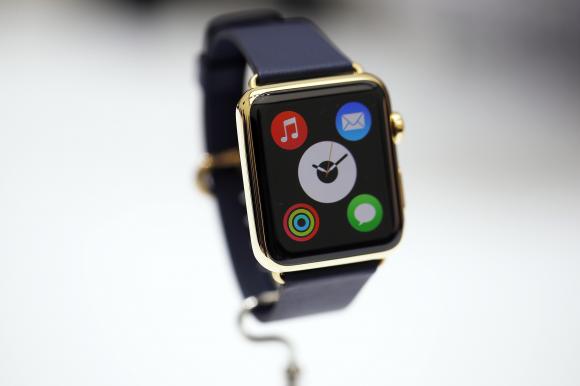
Apple’s first attempt on the still nascent wearable market was huge, with people eyeing Tim Cook’s wrist the moment he entered the stage. Apple Watch (not iWatch) will be priced at $349 and will be available by early 2015. It will come in three variations – Apple Watch, Apple Watch Sport and the Apple Watch Edition. The wearable will be compatible with iPhone 5, 5S, 5C, 6 and 6 Plus.

There are already quite a few competitors trying to define what should a smartwatch look like on your wrist. However, Google beat Apple in that race by just a few months by releasing Android Wear. One of the crowd’s favourite is Moto 360 which was launched last week, priced a hundred dollars less at 250$.
The smartwatch technology is still in its infant stage. Apple is known for its innovations and setting trends like it did with iPods and iPads; the Apple Watch is anticipated to have the same impact. However, both Moto 360 and Apple Watch both have their strengths and weaknesses. A quick rundown to help you decide which one to buy, once the devices are available.

INTERFACE

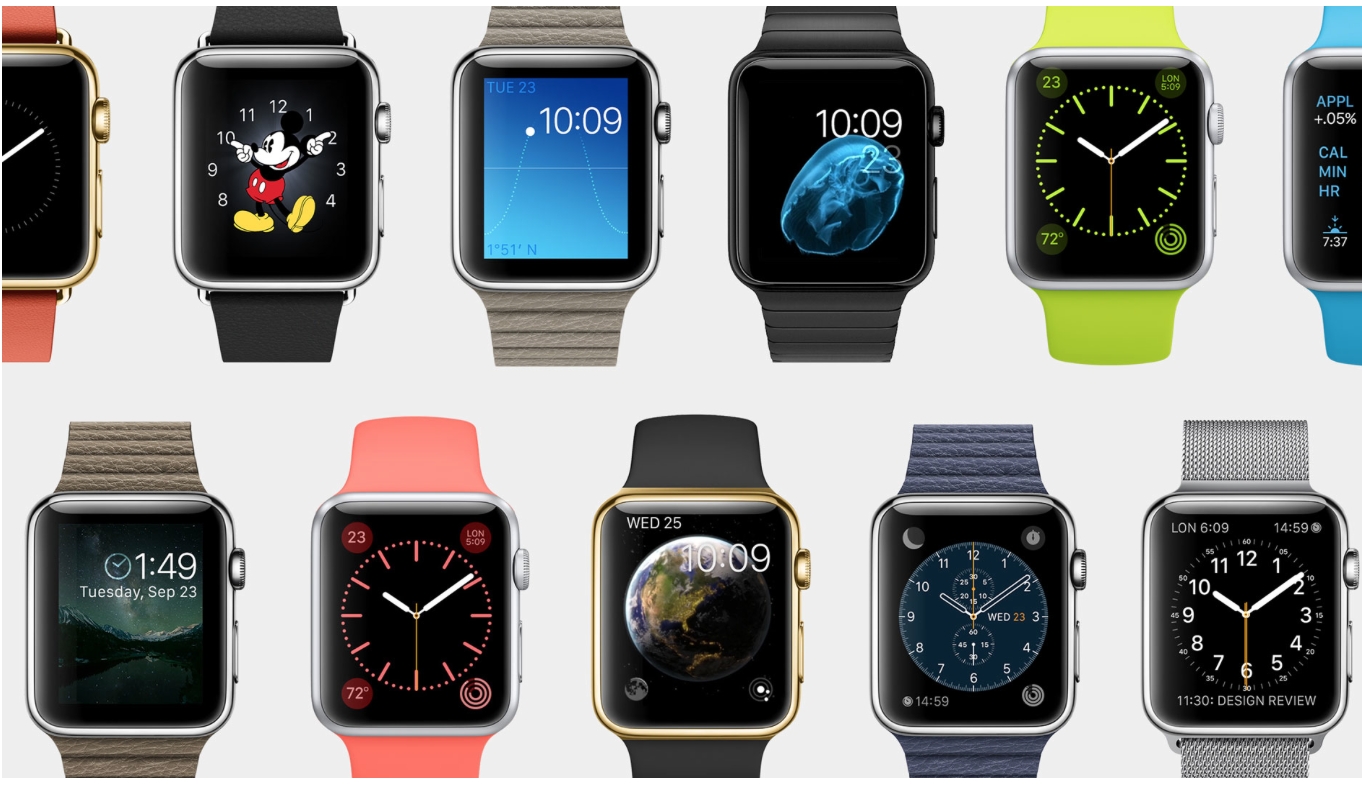
Both companies have provided several interestingly themed watch faces which can be changed easily to suit your mood. Agreed that our watches are getting smarter, but the basic function of the watch is to tell time every time we look at the device. Apple Watch display turns off when you aren’t looking at it. When you turn your wrist, it’ll light up again only showing information when you want it.
In Moto 360, colors pop on the display, and everything is easily viewable, even in direct sunlight. However, when the display is dimmed it darkens after a few seconds of inactivity, but the time is still visible. Though, it  is very hard to see outdoors. Waking up the watch is as simple as lifting your wrist; same as on the Apple Watch.

ON-THE-GO INFORMATION AND NOTIFICATIONS

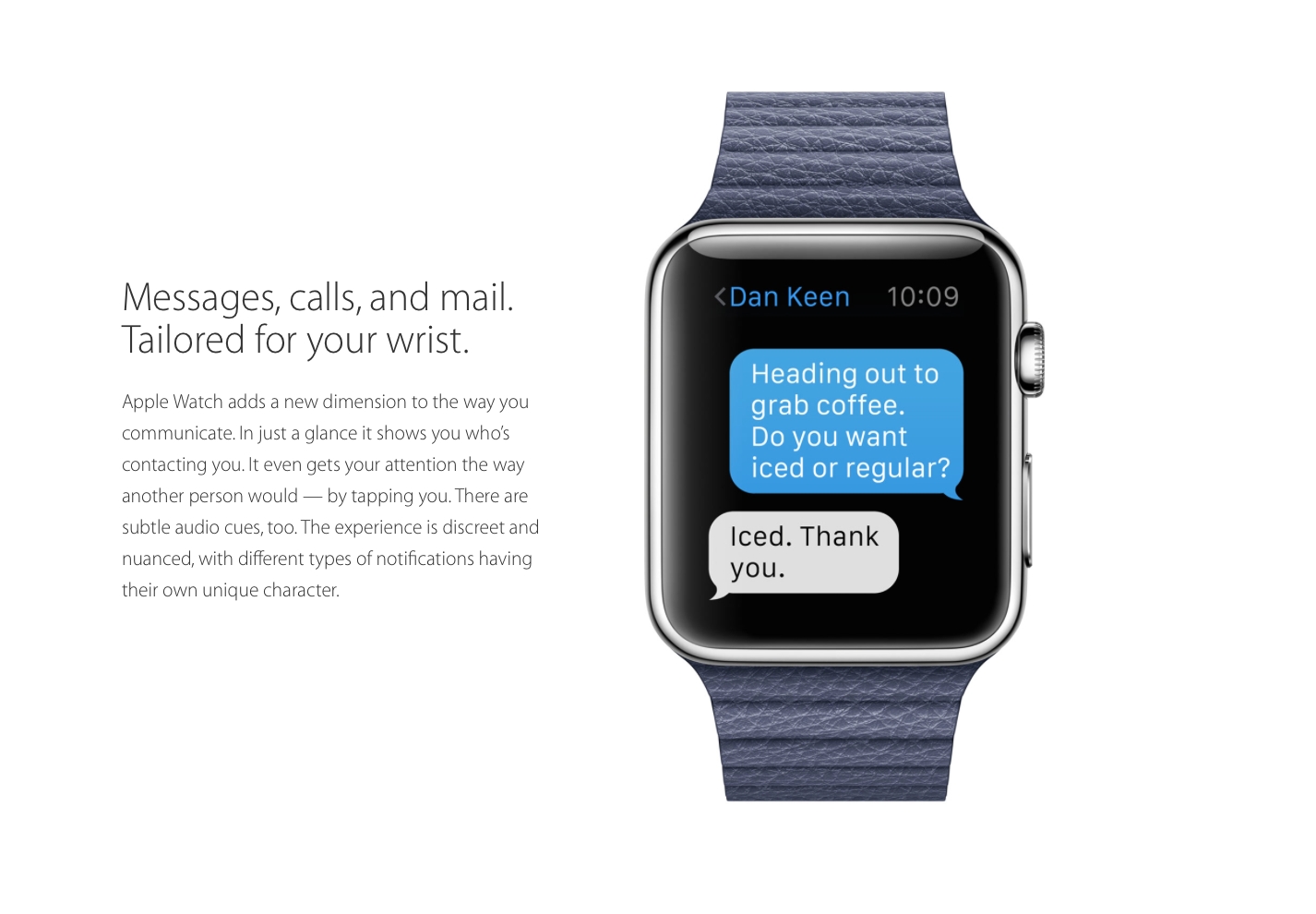
Main aim of smartwatches since their earlier days has been to minimize handset use by integrating phone notification with the smartwatch on your wrist for a easy and more convenient experience. In Apple Watch all notifications coming through your phone will pop up on your watch. If the app developer chooses to, they can enrich that notification to let you do a lot more with it — replying to messages or even taking actions, like accepting a Facebook friend request. All together, it sounds fairly decent.
Google’s smartwatch platform is all about notifications, which uses most of its interface. In Moto 360, all of your notifications are routed to it, and you can swipe through the phone to view them all, dismiss them, and even act on some of them. That said, you can’t use them as easily as Apple hopes to allow.

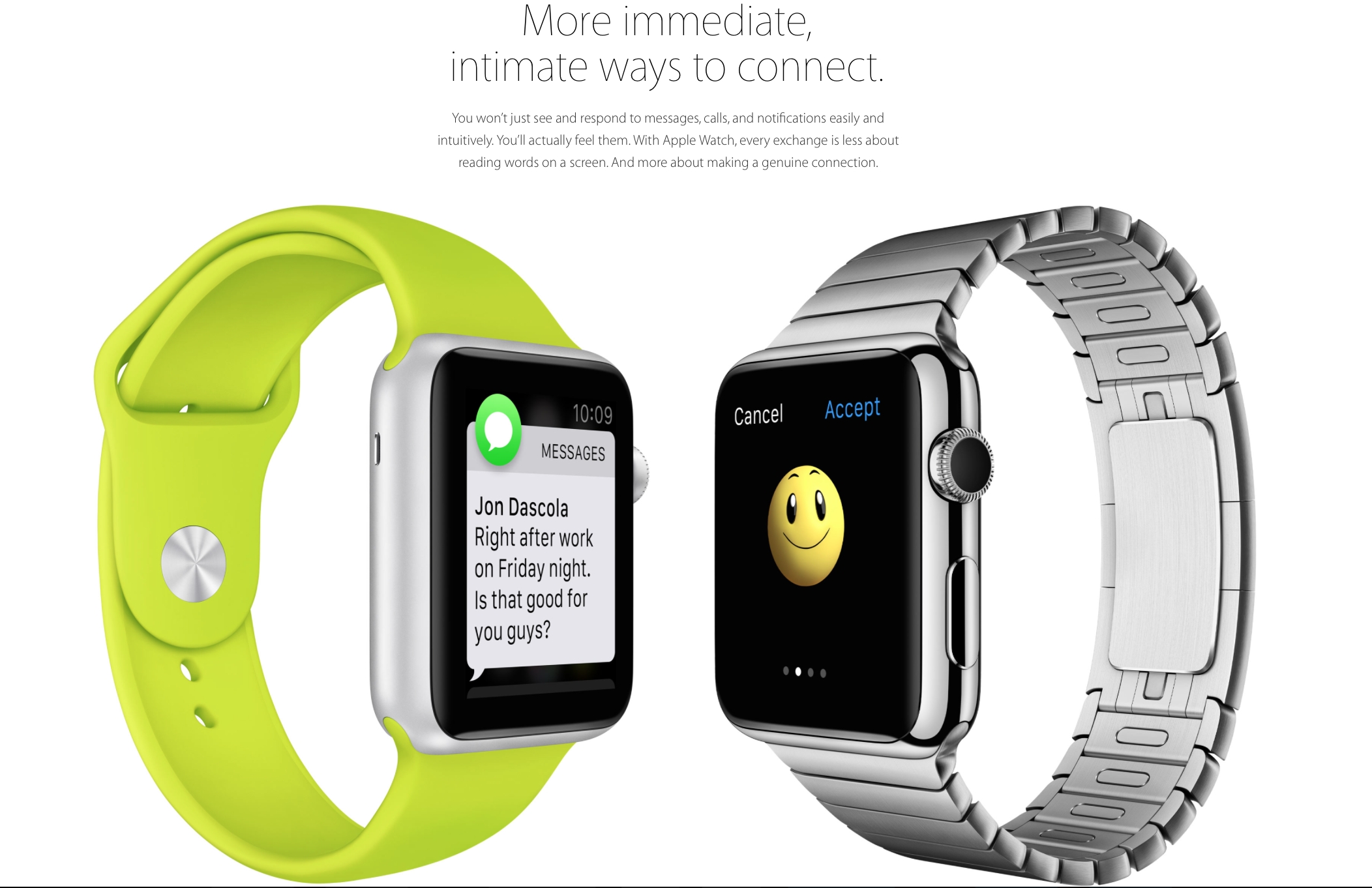
A good smartwatch, in my opinion, is the one gives you what you want, when you want it, without having to do to much. To some extend both Apple and Motorola have achieved that. Apple promises that the person sitting next to you would not be able to tell that you’ve received a notification. The notification buzz will simply give the effect as if someone is tapping you lightly on your wrist. You can customise the apps which you’d like notifications from. It will use the Bluetooth and Wi-Fi from the iPhone for all communication purposes. The built-in speaker phone and microphone can be used to receive calls and use the built-in Siri. With a simple tap on the digital crown, Siri can be activated.
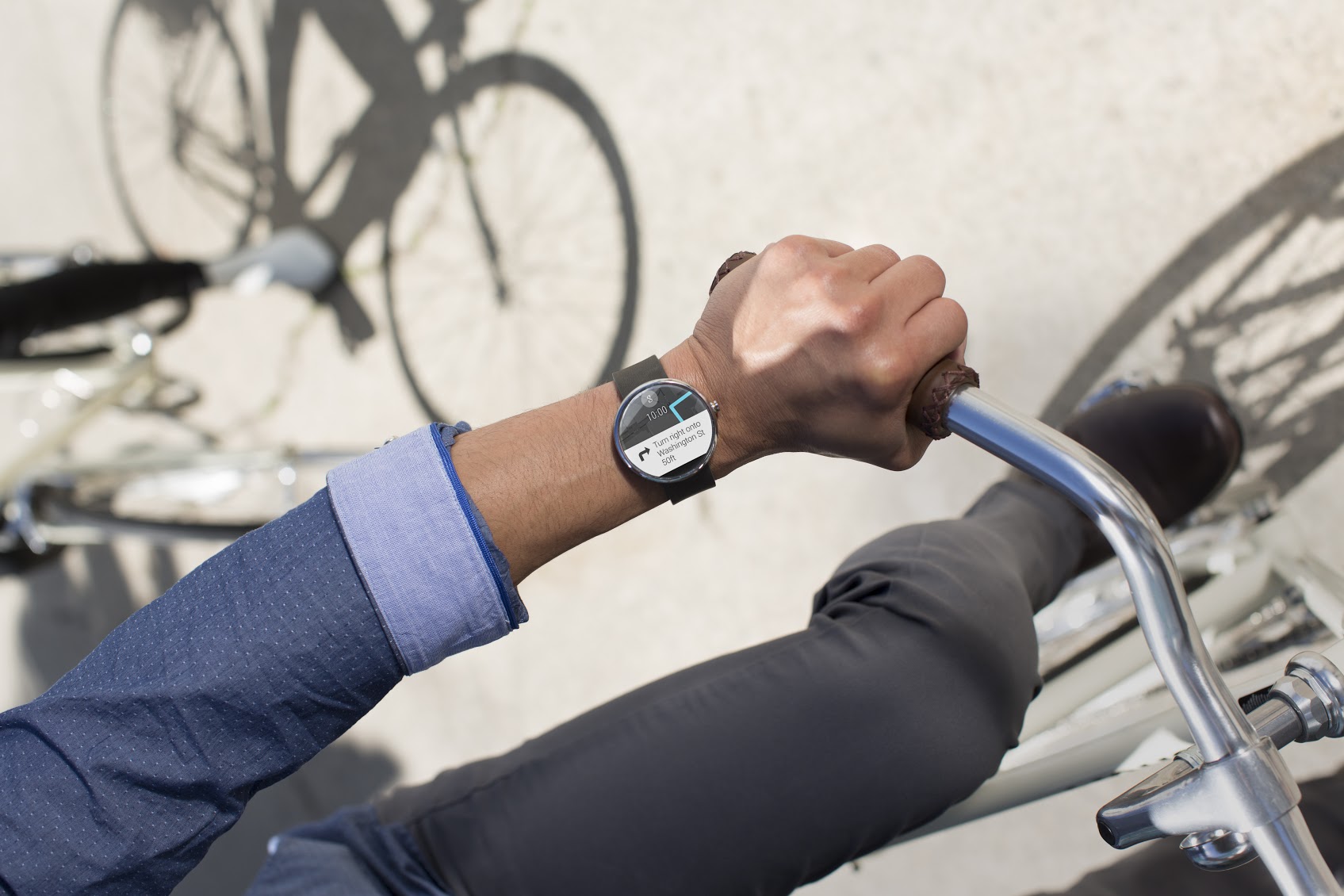
The Moto 360 can do a number of things, such as display incoming calls and texts, measure your heart rate, pull up directions from Google Maps, count your steps, and tell you the weather. The idea behind Android Wear is that the watch should display contextual information before you even need to ask for it. Google Now has always been really capable, and its ability to predict and surface information that you’re interested in is built right into Android Wear. So, for example, if  your favorite IPL team has a match at 7 p.m. tonight, Android Wear would display that information on your wrist automatically.

HEALTH AND FITNESS

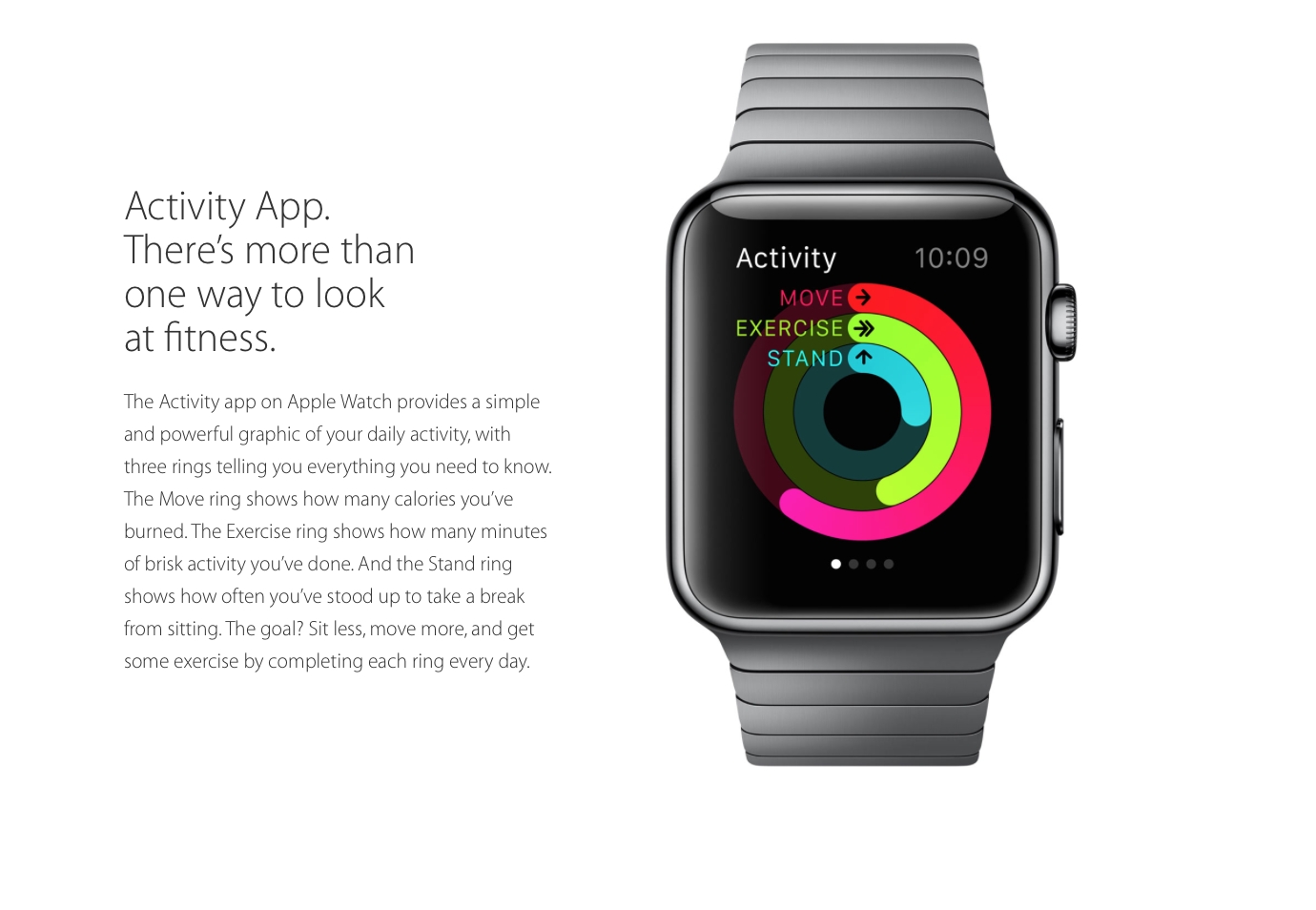
The Moto 360 has a heart rate monitor on the underside, that’s good for getting a causal fix on your overall health, but it will not be much of use for vigorous workouts sessions. On the Moto 360 are three pre-installed apps for measuring your overall health. Fit shows how many steps you’ve taken during the day, can measure your heart rate, and lets you set a goal for the number of steps you take each day. In a similar vein, Heart Activity displays how many minutes you need to be active during each day (it’s set at 30 minutes), and how close you are to completing that goal.
Apple Watch promises to take over and take it to a whole new level. Instead of simply tracking daily activities, the watch will actually encourage you to be more active. It has two key apps for this; the first will map your fitness activity through the day, while the second and the more important one, will help you set goals and then help you achieve them.

THIRTY-PARTY APPS

For wearables to entice prospective buyers, third party apps were needed and both Motorola and Apple understood that. Apple has already experimented with certain third-party apps. Developers will be able to create custom notifications for the home screen. For example, the City Mapper will remind you to get off at the right station, the BMW app will direct you to where you would’ve parked your car and the Nike app will allow you to challenge your friends to go for a run.
It’s been a few months, and Google says there are already thousands of apps that support Android Wear. Facebook Messenger, for instance, will now send messages to Wear and can accept responses dictated over voice. Though, we’ve seen a handful of good apps that run specifically on Wear, but no one has actually gave us any breakthrough app yet.

STYLE

Since watches are worn all the time, it’s important that they look good. The design and style should suit you well. The Apple Watch will be available in six designs. The watch comes with a mechanism which would make it super easy to switch between the straps. The straps include a sport band, soft quilted leather and stainless steel options. And since one size does not fit all, Apple has also developed smaller sizes.
 The Moto 360’s 1.56-inch-diameter round display is big, bold, and feels a lot larger than a square display. It has a 320×290 resolution, effectively, at 205ppi. Actually, it’s not fully round there’s a bit of a black bar on the bottom. Apple has done great job by giving us variety, but Moto 360’s round dial and sleek look has already garnered many fans.
A biggest setback is that the Apple Watch will be compatible with only with iPhone 5, 5S, 5C, 6 and 6 Plus, on the other hand the Moto 360 isn’t as exclusive or biased to its own brand. Apple definitely stands out with its sophisticated and extensive sensors. Unlike Moto 360, Apple Watch seems to do much more than just showing you notifications. It seems both the devices have the right components, they just need to get some developers to come up with more compelling apps.

Thursday, 4 September 2014

Samsung Galaxy Note 4


The Beast is Back: Samsung Galaxy Note 4 Unveiled


The Beast is Back: Samsung Galaxy Note 4 Unveiled


The season of big ticket releases has been kicked off by Samsung in an optimistic fashion. The company flaunted an assortment of products at its pre-IFA event in Berlin. The company finally unveiled the Galaxy Note 4 which gets quite a few upgrades over its predecessor both on the hardware, as well as the software front.

The presentation was done by three presenters who were well prepared for the show, though it got a bit annoying when they tried to over-reach. Most of the features presented were affirmative of the leaks.

Looks


Image Credit: The Verge


The new generation Note flagship comes with a 5.7 inch Quad HD Super AMOLED screen. It has a thickness of 8.5 mm and weighs 176 gm. The device is LTE category 6 ready.

On the looks front, the device borrows the design language from the Samsung stable while going for an edgier design. The device is built on a metal frame which strengthens the device to minimize damage from dropping of the device. It has a soft textured back cover.

Camera


The cameras on the Note 4 get a lot better.
Image Credit: The Verge


The Galaxy Note 4 comes with a 16 MP camera on the back with Optical Image Stabilization (OIS.) With the OIS, Samsung claims, you’ll get professional quality HD videos with minimum jitters.

The company has gone out of its way to bring a superior selfie experience, and it was truly innovative of them. The 3.7 MP front camera has a wide f/1.9 iris which will ensure brightness of the image. To make selfie taking more convenient, the Note 4 utilizes the heart rate sensor on the back as a shutter release. To take a selfie all you need to do is hold the heart rate sensor and release, when you are ready for a click. For taking a wider selfie or a “Weefie” with multiple people, the device offers a wide 90-degree frame. There is also an option for Wide Selfie that lets you take an even wider 120-degree selfie by moving the phone till everyone is in view. The presenters took the photo of the entire auditorium using the feature.

The camera also has an extremely useful feature called the Snap Note through which you can take an image, and the phone will extract the data from it. So when sitting in a classroom you can simply click the photo of the board, and the phone scan the image and will take the information out. You can then add annotations to the information and have an easy learning experience.
S-Pen

The S-Pen also gets upgrades and added functionalities. The pressure sensitivity has been increased to give a more natural pen-like feel. The pen now also acts as a mouse with features like click and drag which lets you select multiple files at once.

The Smart select feature lets you select text and images from multiple sources and lets you bring them all together. It also lets you easily share them on the internet.
Audio Recorder

The audio recorder on the device has also received some really handy and functional upgrades. The device can now track voices in 8 distinct directions so it great for getting quality sounds in multi-people environment. The interview mode on the device cancels out the unnecessary ambient noise and hence gives a clearer audio output.

Multi-Windows

Using multi-window gets easier with the new device. You can now access the multi-window feature through the recent apps menu. It has become a lot easier to resize, relocate or minimize the screens during multi-window usage.

Note 4 comes in four color options: White Black, Gold and Pink. It also provides customizability with 4 covers. There is the S-View, Flip wallet, S-view Flip wallet and LED cover which reminds of the Dot case by HTC. The device also comes with a back panel encrusted with Swarovski Crystals.


The device is sleeker and edgier than the Note 3.
Image Credit: The Verge

Battery

The device gets its juice from a 3220 mAh battery which is a slight increase over the predecessor. Samsung claims that with advanced optimization of their product, the battery will last longer than before. They have also brought the ultra power saving mode from the S5 onto this device.
Mont Blanc

As the phone flaunts its USP of a writeable screen, it was only natural for them to partner with a writing instrument manufacturer sooner or later. So Samsung has partnered with Mont Blanc to bring stylish writing instruments for the Note 4. The pens have multiple usability as they come with interchangeable refills for the paper and the screen. They also offer several nib options for different needs. The pen is connected with the device using a chip that lets the user have a fulfilling writing experience on the device’s massive 5.7 inch screen.

The Samsung Galaxy Note 4 comes with 50 GB of Dropbox storage for two years. The phone will be available in the market in the month of October.

Samsung has done well on its presentation, and this will help calm some of the criticism that it has been facing for a while. The Note 4 is without a doubt a new era for the company. This was a good launch event, and we’ll be updating you when more information surfaces.

Samsung Galaxy Note Edge

Samsung Enters the Future With the Curved Galaxy Note Edge


Samsung introduced a one-of-a-kind smartphone today. It stands out in the crowd for its unique screen, which extends and runs over onto the right side of the device. And if you’re thinking the curved panel is simply a marketing gimmick, you’re wrong.
The extended side screen is super functional as well – it has 7 scrollable panels which are customisable. When the Galaxy Note Edge is locked, the side-panel can be used to have a quick look at notifications and get faster access to certain features such as time and date display, flashlight, camera, messages and even a ruler.  Preferred apps can also be shifted to the side panel, frequent use of which will help users conserve battery life.
The Samsung Galaxy Note Edge comes as a pleasant surprise which was kept well under wraps. It is one of the few devices launched recently which left no virtual trail and had no ‘leakster’ tracking its every more.


So, the new bent display not only gives Samsung’s new smartphone a sleek look, but it actually might help keep the main screen clutter-free. Samsung has also announced that will release the API so that third-party app developers can make use of the new screen and create appropriate apps for the screen.
Specs-wise, the smartphone has a 5.6-inch, Quad HD 2560 x 1440 display and is powered by a 3,000 mAh battery. It comes with Snapdragon 805 or Exynos 5433 chipset, Android 4.4, 16MP OIS camera and S Pen stylus. With this launch, Samsung proved that it still has an eye for innovation.