Tuesday, 30 September 2014

WINDOWS 10

NO WINDOWS 9... ITS WINDOWS 10....

YES...!!!!


Today Microsoft officially unveiled the latest version of its traditional computer operating system, curiously called Windows 10.
Touted as the company's "most comprehensive platform, ever," Windows 10 stresses a single product family, platform, and store. While the announcement covered quite a bit in terms of enterprise customers, general consumers have some changes to look forward to as well—one of which is an updated and familiar Start Menu.
Tech-Preview_Start-menu
The new version looks more like the pre-Windows 8 Start Menu, revealing a list of apps, folders, and a search bar, but to the side will be a series of Live Tiles. Essentially, you'll find a Windows 7 Start Menu with a Windows 8 twist. The search function works much like it does when typing from the Windows 8 Modern UI, revealing apps, files, and web results.
Windows 8-style apps can now be windowed within the traditional desktop, adding more flexibility in how you use them—currently, they can only be used at full-screen or within the confines of "snapped" windows. For the newly-designed windowed apps, you will be able to snap them to the edges of the screen like you would from the traditional Windows desktop.
Microsoft has also added a new multi-tasking feature that looks and works similar to what we see on other platforms. When you initiate "Task View" a series of small desktop views will be displayed at the bottom of the screen, with larger previews of the apps being shown off in the middle of the display. You can also quickly select and move around apps from different desktops with a new "Snap Assist" function, which will be nice for the power users out there.
Tech-Preview_Virtual-desktop
While a Windows 7-style Start Menu is good and all for mouse users, Microsoft will also introduce a different version for those using touchscreen computers. Instead of a small menu consisting of a bunch of text and small Live Tiles, touch users will be greeted with something that more resembles the Windows 8 Modern UI, while still in the traditional desktop. Microsoft is really working to blend its two distinct interfaces into one experience that works for all users.
If you want to get your hands on an early version of Windows 10, Microsoft will be launching its Windows Insider Program tomorrow, offering a preview build for both laptops and desktops. The company plans to discuss more about consumer-facing changes during the first part of 2015.
Windows 10 will be shipping later next year.


Saturday, 13 September 2014

ANDROID L VS IOS 8


ANDROID L VS IOS 8


Apple and Google have both recently unveiled their upcoming mobile operating system updates, with Apple's final iOS 8 due to be unveiled today on the iPhone 6 , while Android L will be released later this autumn. Google's offering is Android L, while Apple's is iOS 8. Here, we compare the two in our Android L vs iOS 8 comparison preview, to determine what's in store for iPhones, iPads, Android smartphones and Android tablets later this year.

Android and iOS are actually getting closer than ever, so there are many similarities to discuss in addition to the differences between the two rival operating systems. Read on to find out more about how they compare.

Android L vs iOS 8 comparison: Availability


As mentioned above, both iOS 8 and Android L will be released to the public this autumn, probably in September or October. There are ways to get your hands on iOS 8 and Android L now, though they're both in beta or preview versions so it's advisable not to install them on your main device.

You'll have to pay to join Apple's developer program if you want to start using iOS 8 (it's £60 per year) but you can get your hands on Android L for free. Here's how. Also see: Android L offers remarkable battery life, but it's no faster than KitKat

To run iOS 8, you'll need an iPhone 4S, iPad 2, iPad mini or later, and for Android L you'll need a Google Nexus 5 or Nexus 7.


Android L vs iOS 8 comparison: Design

The design of iOS 8 is mostly unchanged from the design of iOS 7, which is no surprise as it was iOS 7 that brought the major design changes. iOS 8 has that 'flat' design, ditching all signs of skeuomorphism in favour of minimalist aesthetics.

This year, it's Android's turn for a bit of a design change. Google has introduced a new 'Material Design' look for Android, which has also been offered to developers for use in their Android apps. Android L brings more depth to the operating system's appearance using shadows, and also automatically generates touches of colour based on the content being displayed.


Above: The dialler in Android L is a good example of the new design. It uses circles instead of squares, and is brighter and lighter overall. The icons along the bottom have been tweaked too.

Additionally, there are new animations and touch feedback, so the overall look and feel of the operating system is smooth and responsive.
Android L vs iOS 8 comparison: Features

When it comes to new features, both Android L and iOS 8 have many. We'll go through some of them here, and discuss how they compare to one another.
Android L vs iOS 8 comparison: Notifications

In Android L, you'll find new, enhanced notifications. You'll be able to get them on your lock screen, and they'll be automatically ordered in priority. You can swipe them away if you want to dismiss them, or double tap to open the relevant app.


Similarly, notifications have improved in iOS 8. They're now interactive, so you'll be able to reply to text messages, accept calendar invitations, snooze reminders and even Like Facebook statuses you're tagged in without even having to leave the app you're in. You can already swipe them to automatically go to the relevant app, but you can't swipe to dismiss them.


We'd say iOS 8 when it comes to its new notification features, and we're particularly excited about the new interactive capabilities they'll offer.
Android L vs iOS 8 comparison: Lock screen

As mentioned briefly above, Android L brings a new lockscreen to devices. In addition to being able to see notifications, you'll also be able to swipe up to unlock, swipe right to launch the dialler or swipe left to launch the camera.

In iOS 8, the lock screen is unchanged from iOS 7, offering notifications, slide right to unlock and slide up to access the camera. There's no way to quickly access the dialler, though.
Android L vs iOS 8 comparison: Multi-tasking

Multi-tasking in iOS 7 was already pretty good, but Apple has taken it a step further by adding recent and favourite contacts to the screen when you double click the home button to access the multi-tasking menu. These contacts appear in a swipable list along the top, to allow you to quickly and easily call, text or FaceTime call that person.


Android L brings multi-tasking to a new level for its users, too. Now, open apps will appear in cards in a carousel, which you can flow through by sliding up or down on the screen. To close an app, swipe the card to the left or right.

What's cool, and something that iOS can't do yet, is some apps will show multiple cards depending on how you’re using them. For example, if you've got multiple tabs open in Chrome, you'll see each of them as an individual card on the multi-tasking screen.


Android L vs iOS 8 comparison: Security

Google has introduced a new personal unlocking feature that'll enable users to unlock their smartphone or tablet without entering their passcode, but only when they are close enough to a device such as an Android Wear smartwatch.

Apple has its Touch ID fingerprint sensor, which is built-in to the home button of the iPhone 5S. In iOS 7, it was only able to unlock the device or be used instead of entering Apple ID details, but it'll be opened up to third-party developers with iOS 8, so users will be able to use their fingerprint to access other apps such as banking applications, for example.

Both Android L's and iOS 8's new security features won't be available to everybody, of course - if you don't own an iPhone 5S or an Android Wear smartwatch, you won't be able to use them.
Android L vs iOS 8 comparison: Battery life

We don't yet know exactly how Android L and iOS 8 will affect the battery life of the devices they're running on, but both let you identify how individual apps are using battery, and make improvements based on that information. Android L has an additional battery saving mode which iOS 8 doesn't.

Google claims that the new battery saving mode coming with Android L will give the Nexus 5 90 minutes more battery life.

We'd like to see Apple introduce a similar feature, as iPhones are notorious for their poor battery life.
Android L vs iOS 8 comparison: New developer features

Both Google and Apple have added some new tools for developers that could mean exciting new abilities will arrive on Android and iOS devices soon. It's particularly surprising that Apple has opened up iOS to developers a bit, as it's a company that has always been known for its closed nature.

Apple has introduced what it calls Extensibility, which basically means that apps in iOS will be able to 'talk to each other' like never before. For example, using 'Action extensions,' Safari could gain a Bing translate feature, taking advantage of the Bing app's capabilities. Or, Safari could gain a 'Pin' button for Pinterest users if the Pinterest app is installed. The possibilities here are endless, and extremely exciting for iOS users and developers.


Another element of Apple's extensions is 'Today extensions' which are actually widgets that can be chosen to appear in the 'Today' view in iOS 8's Notification Centre. Android has had home screen widgets for a long time, so Apple is bringing itself in line with its biggest rival with this feature.

Widgets and other extensions are much more restricted in iOS 8 compared with Android, though. Apple is keen to keep its operating system secure, and won't allow developers to release apps that are just widgets, or just keyboards (yep, iOS 8 allows third-party keyboards for the first time).


Google has added new features in Android L for developers, such as direct links to apps from Google searches in the Chrome browser (something that has been available for a while, but only for select developers until now).

There are many more new features for developers in both Android L and iOS 8, but we'd argue that iOS 8's changes in this area are more exciting, even if they are playing catch up in some cases.
Android L vs iOS 8 comparison: 64-bit

Apple used last year's iOS 7 to introduce 64-bit compatibility to the operating system, and that continues with iOS 8.

For Google, however, Android L represents the first time the operating system has been compatible with 64-bit devices. We expect to see many more smartphones and tablets with 64-bit chips to emerge in the coming year following the announcement. This should mean speedier and smoother performance and a big power boost for Android devices.
Android L vs iOS 8 comparison: Health & Fitness

Both Apple and Google have unveiled fitness and health tracking platforms for their upcoming operating system updates. Apple's offering is called Healthkit, which works with the new Health app, while Google's is called Google Fit for Android.

Both have similar purposes: they'll help you keep an eye on your health and fitness data thanks to the sensors on your mobile or wearable devices, and also some input from you. Healthkit and Google Fit are platforms for developers to take advantage of, but Apple's Health app is a bit like Passbook, pulling together data from other health and fitness apps into one, easy to access place.
Android L vs iOS 8 comparison: Hey, Siri. Ok, Google.

There's no doubt that Apple's new 'Hey, Siri' trigger to activate the voice assistant hands-free is a feature borrowed from Android's 'Ok, Google' activation for Google Now. However, this works only if the device is running on external power or if Siri is already open on screen.

Plus, also like Google Now, Spotlight in iOS 8 will let you search more than just what's on your phone. It can search the App Store, iBooks Store, Wikipedia, Maps, iTunes and more, and it'll bring up local movie showings, news trending among your friends etc.
Android L vs iOS 8 comparison: Handoff


Also new in iOS 8 is 'Handoff,' a feature that's going to be a huge boon for anyone with multiple Apple devices. It'll mean that, if you've been writing an email on your way home and have just arrived home, your Mac will automatically ask whether you'd like to pick up that email on OS X instead. It's not just for emails, either. Most Apple apps that work across both OS X and iOS will work with Handoff. You'll also be able to pick up calls on your Mac, and see all of your messages, even if they're not iMessages.

Some of these features are available for Android, too, though third-party apps are required and it's not quite as seamless or refined as Apple's Handoff. If you own a Chromebook, though, Android L will automatically unlock your laptop when your smartphone or tablet is close by, and your notifications will appear on both your laptop and your mobile device.
Android L vs iOS 8 comparison: CarPlay & Android Auto

With Android L, Google has introduced Android Auto, which is similar to Apple's CarPlay feature unveiled alongside iOS 7 last year.

They are both very similar services, using your smartphone to offer you information and controls on your dashboard's screen including maps, music and other apps. You can find out more about Android Auto here, and more about CarPlay here.
Android L vs iOS 8 comparison: Compatibility


Another factor to take into consideration when comparing these two upcoming updates is compatibility. iOS 8 will be able to run on the iPhone 4S or later, the iPad 2 or later and both generations of iPad mini.

Those with Android devices might have more trouble getting Android L straight away. If you own a flagship phone or tablet from Samsung, HTC, LG, Sony, Motorola or any other big name brand, you should get the update quite quickly. Those with Google's Nexus 5 or Nexus 7 should get access to it immediately when it's released to the public. HTC has said that HTC One M8 owners will get Android L within 90 days of its release, but we've not yet heard from other manufacturers. We'll update this article when we find out more.

Wednesday, 10 September 2014

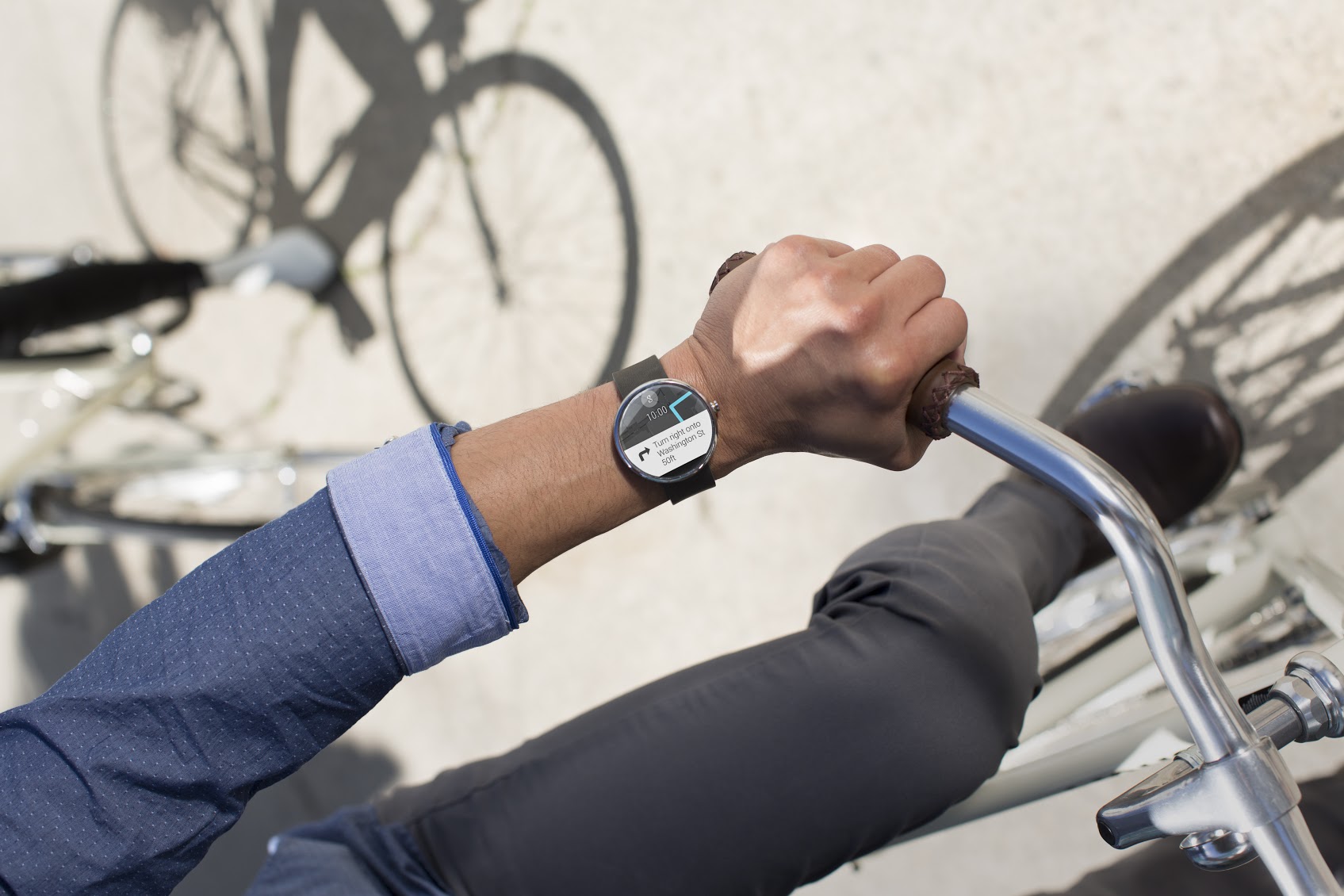
Apple Watch vs Moto 360


Apple Watch vs Moto 360

Apple watch Features Design 15

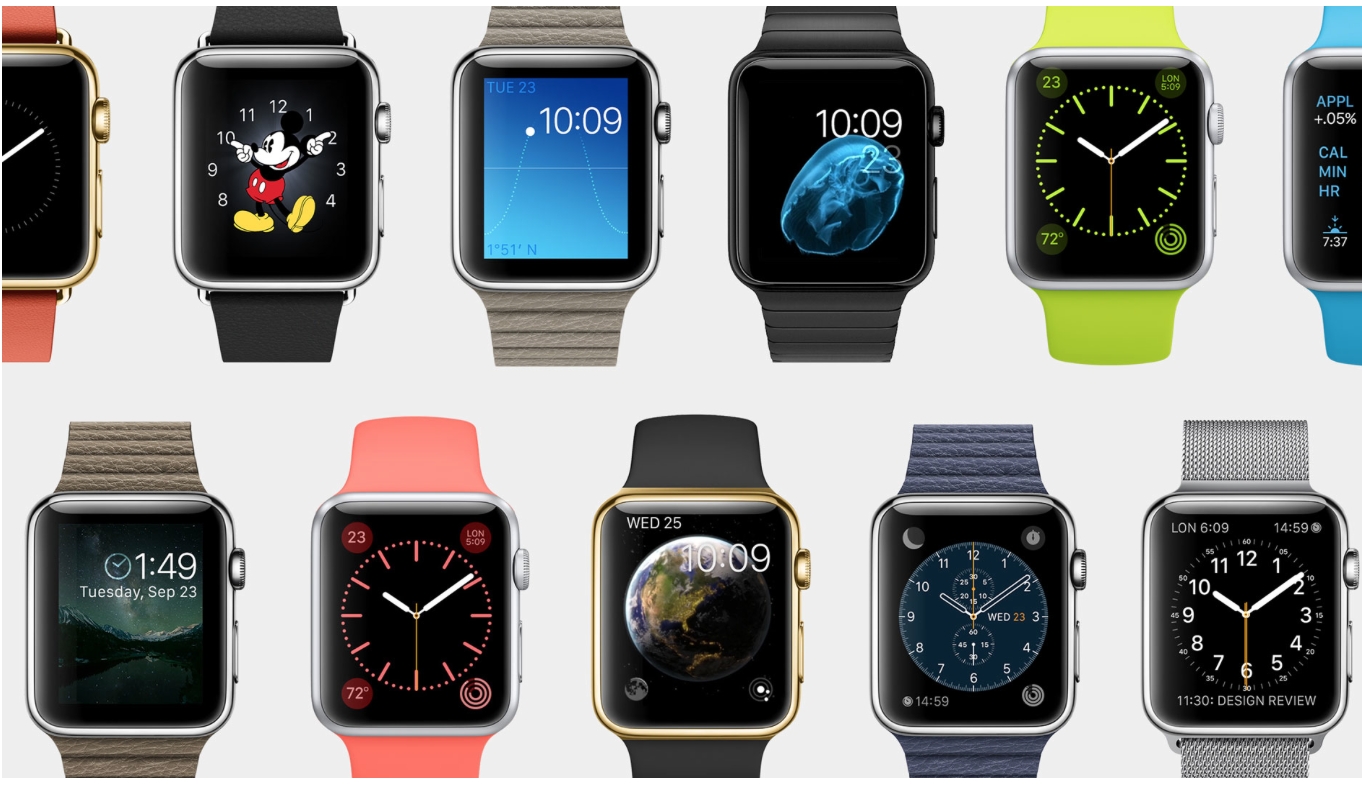
Apple’s first attempt on the still nascent wearable market was huge, with people eyeing Tim Cook’s wrist the moment he entered the stage. Apple Watch (not iWatch) will be priced at $349 and will be available by early 2015. It will come in three variations – Apple Watch, Apple Watch Sport and the Apple Watch Edition. The wearable will be compatible with iPhone 5, 5S, 5C, 6 and 6 Plus.

There are already quite a few competitors trying to define what should a smartwatch look like on your wrist. However, Google beat Apple in that race by just a few months by releasing Android Wear. One of the crowd’s favourite is Moto 360 which was launched last week, priced a hundred dollars less at 250$.
The smartwatch technology is still in its infant stage. Apple is known for its innovations and setting trends like it did with iPods and iPads; the Apple Watch is anticipated to have the same impact. However, both Moto 360 and Apple Watch both have their strengths and weaknesses. A quick rundown to help you decide which one to buy, once the devices are available.

INTERFACE

Both companies have provided several interestingly themed watch faces which can be changed easily to suit your mood. Agreed that our watches are getting smarter, but the basic function of the watch is to tell time every time we look at the device. Apple Watch display turns off when you aren’t looking at it. When you turn your wrist, it’ll light up again only showing information when you want it.
In Moto 360, colors pop on the display, and everything is easily viewable, even in direct sunlight. However, when the display is dimmed it darkens after a few seconds of inactivity, but the time is still visible. Though, it  is very hard to see outdoors. Waking up the watch is as simple as lifting your wrist; same as on the Apple Watch.

ON-THE-GO INFORMATION AND NOTIFICATIONS

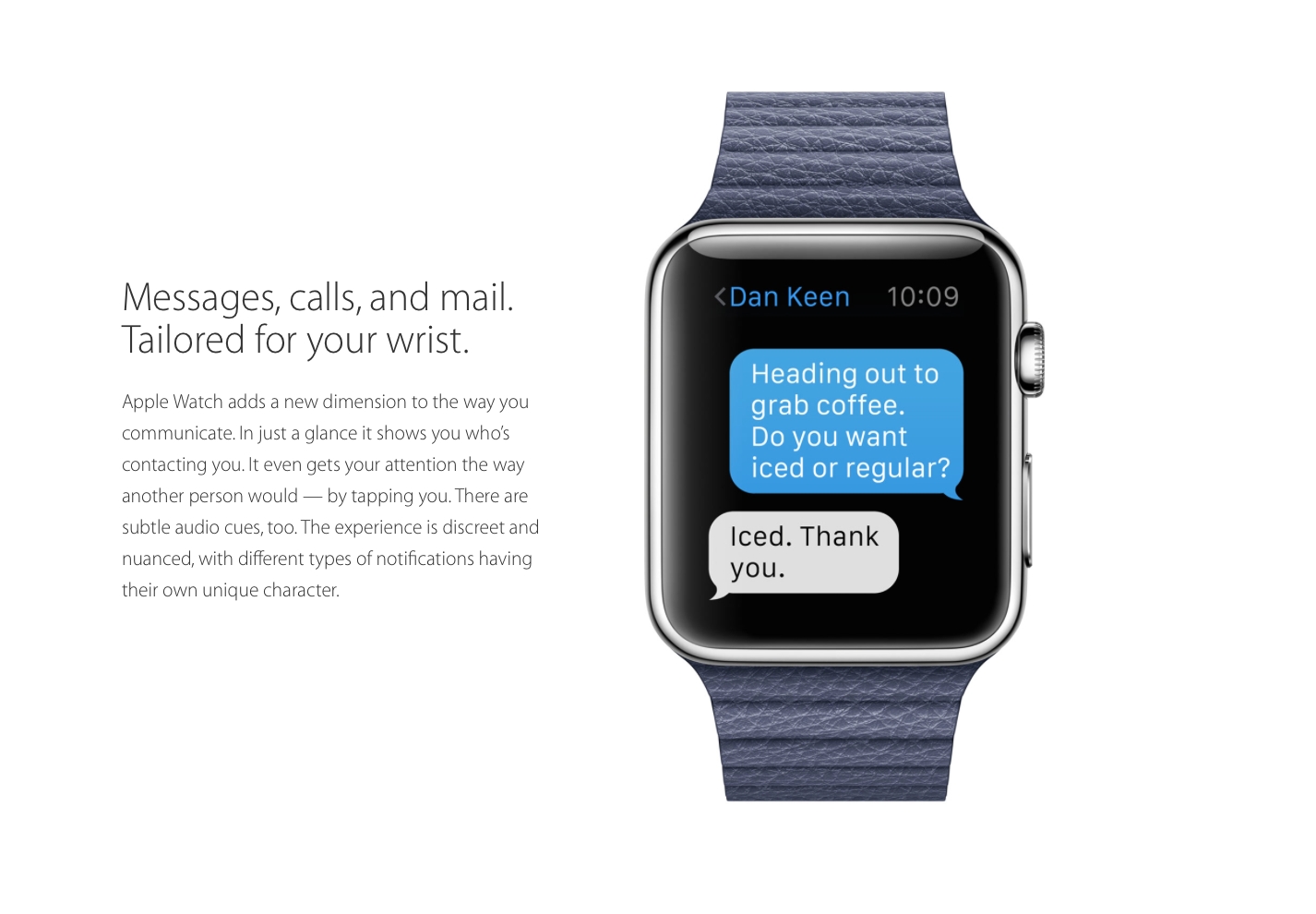
Main aim of smartwatches since their earlier days has been to minimize handset use by integrating phone notification with the smartwatch on your wrist for a easy and more convenient experience. In Apple Watch all notifications coming through your phone will pop up on your watch. If the app developer chooses to, they can enrich that notification to let you do a lot more with it — replying to messages or even taking actions, like accepting a Facebook friend request. All together, it sounds fairly decent.
Google’s smartwatch platform is all about notifications, which uses most of its interface. In Moto 360, all of your notifications are routed to it, and you can swipe through the phone to view them all, dismiss them, and even act on some of them. That said, you can’t use them as easily as Apple hopes to allow.

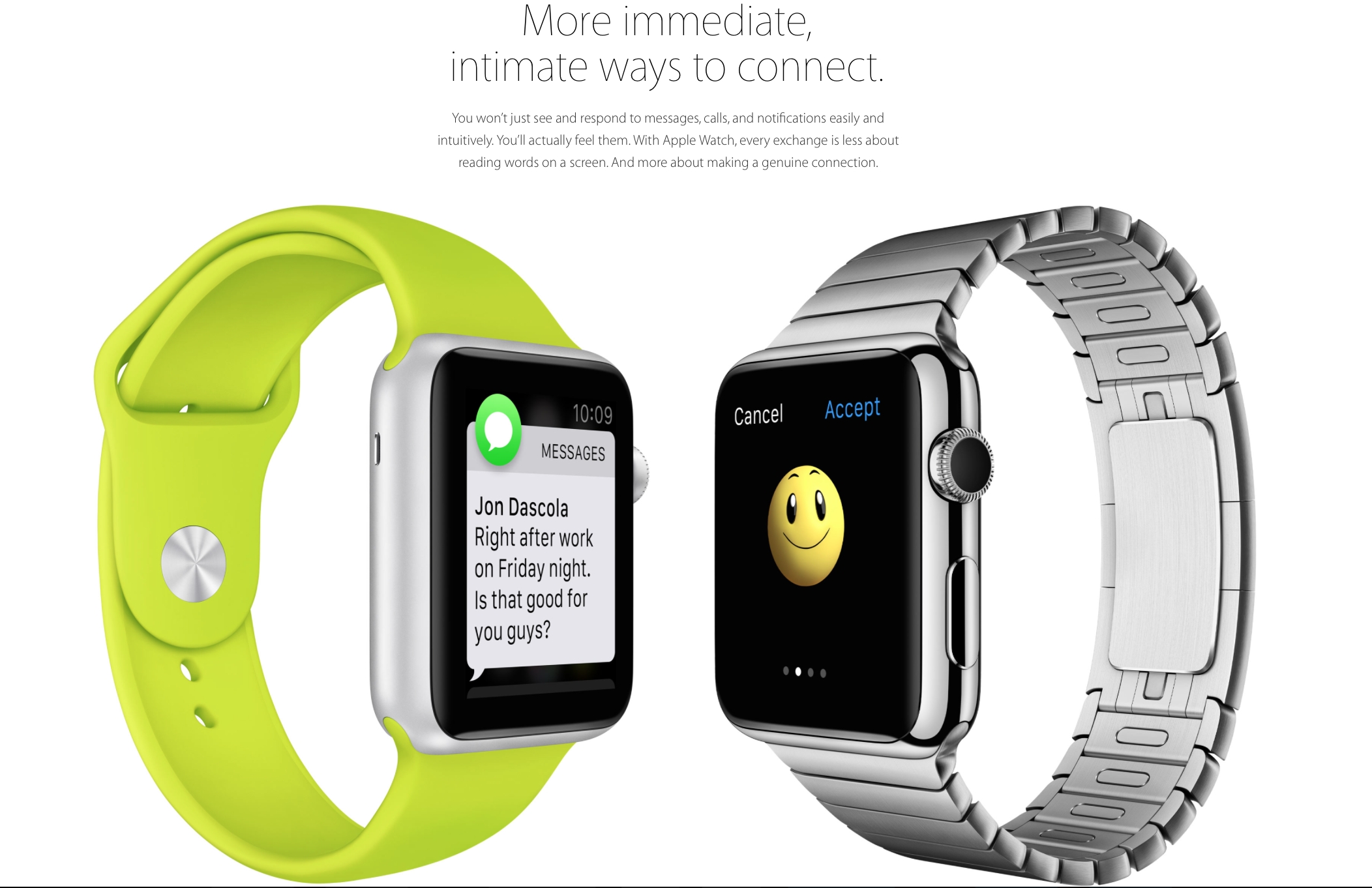
A good smartwatch, in my opinion, is the one gives you what you want, when you want it, without having to do to much. To some extend both Apple and Motorola have achieved that. Apple promises that the person sitting next to you would not be able to tell that you’ve received a notification. The notification buzz will simply give the effect as if someone is tapping you lightly on your wrist. You can customise the apps which you’d like notifications from. It will use the Bluetooth and Wi-Fi from the iPhone for all communication purposes. The built-in speaker phone and microphone can be used to receive calls and use the built-in Siri. With a simple tap on the digital crown, Siri can be activated.
The Moto 360 can do a number of things, such as display incoming calls and texts, measure your heart rate, pull up directions from Google Maps, count your steps, and tell you the weather. The idea behind Android Wear is that the watch should display contextual information before you even need to ask for it. Google Now has always been really capable, and its ability to predict and surface information that you’re interested in is built right into Android Wear. So, for example, if  your favorite IPL team has a match at 7 p.m. tonight, Android Wear would display that information on your wrist automatically.

HEALTH AND FITNESS

The Moto 360 has a heart rate monitor on the underside, that’s good for getting a causal fix on your overall health, but it will not be much of use for vigorous workouts sessions. On the Moto 360 are three pre-installed apps for measuring your overall health. Fit shows how many steps you’ve taken during the day, can measure your heart rate, and lets you set a goal for the number of steps you take each day. In a similar vein, Heart Activity displays how many minutes you need to be active during each day (it’s set at 30 minutes), and how close you are to completing that goal.
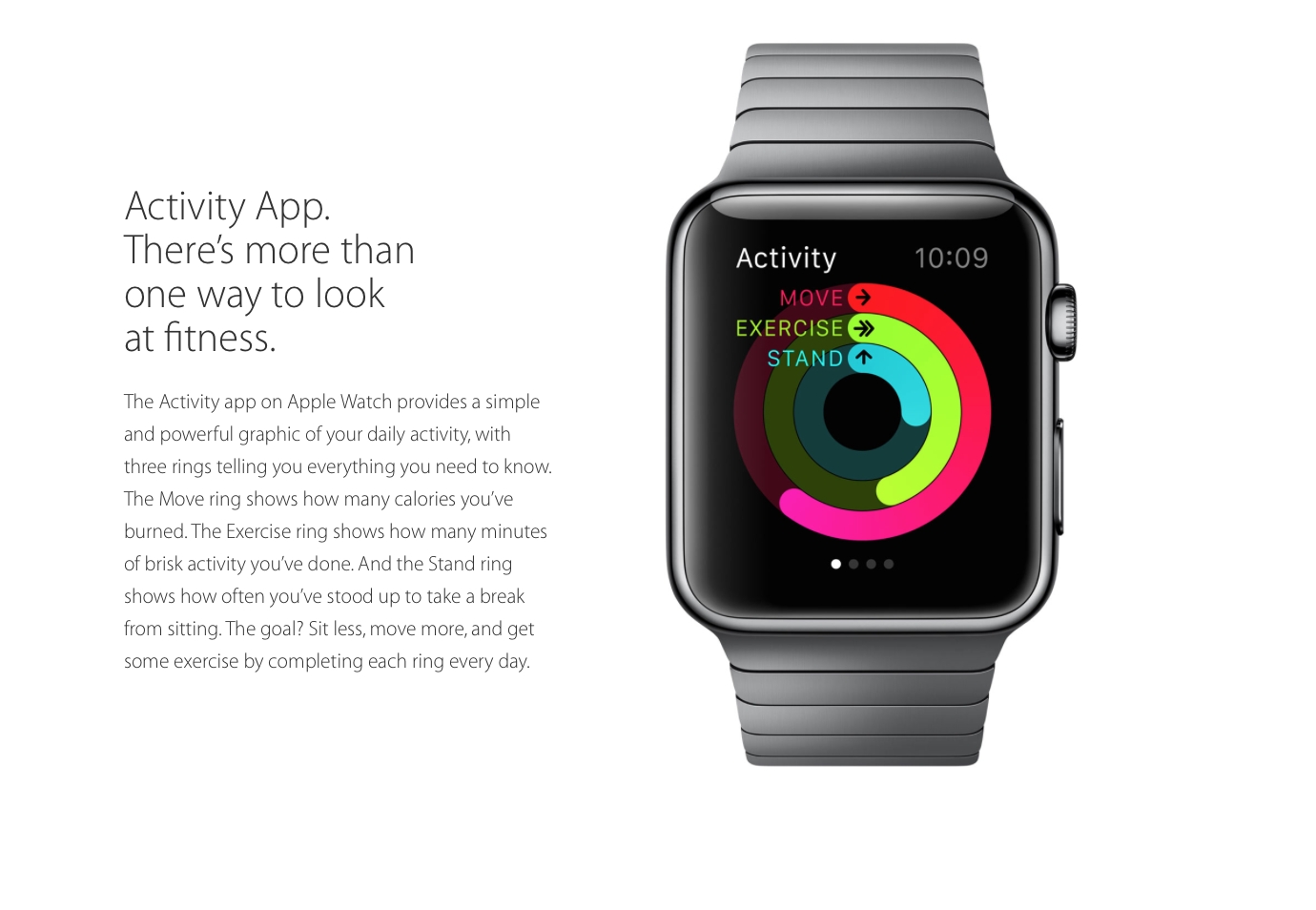
Apple Watch promises to take over and take it to a whole new level. Instead of simply tracking daily activities, the watch will actually encourage you to be more active. It has two key apps for this; the first will map your fitness activity through the day, while the second and the more important one, will help you set goals and then help you achieve them.

THIRTY-PARTY APPS

For wearables to entice prospective buyers, third party apps were needed and both Motorola and Apple understood that. Apple has already experimented with certain third-party apps. Developers will be able to create custom notifications for the home screen. For example, the City Mapper will remind you to get off at the right station, the BMW app will direct you to where you would’ve parked your car and the Nike app will allow you to challenge your friends to go for a run.
It’s been a few months, and Google says there are already thousands of apps that support Android Wear. Facebook Messenger, for instance, will now send messages to Wear and can accept responses dictated over voice. Though, we’ve seen a handful of good apps that run specifically on Wear, but no one has actually gave us any breakthrough app yet.

STYLE

Since watches are worn all the time, it’s important that they look good. The design and style should suit you well. The Apple Watch will be available in six designs. The watch comes with a mechanism which would make it super easy to switch between the straps. The straps include a sport band, soft quilted leather and stainless steel options. And since one size does not fit all, Apple has also developed smaller sizes.
 The Moto 360’s 1.56-inch-diameter round display is big, bold, and feels a lot larger than a square display. It has a 320×290 resolution, effectively, at 205ppi. Actually, it’s not fully round there’s a bit of a black bar on the bottom. Apple has done great job by giving us variety, but Moto 360’s round dial and sleek look has already garnered many fans.
A biggest setback is that the Apple Watch will be compatible with only with iPhone 5, 5S, 5C, 6 and 6 Plus, on the other hand the Moto 360 isn’t as exclusive or biased to its own brand. Apple definitely stands out with its sophisticated and extensive sensors. Unlike Moto 360, Apple Watch seems to do much more than just showing you notifications. It seems both the devices have the right components, they just need to get some developers to come up with more compelling apps.

Thursday, 4 September 2014

Samsung Galaxy Note 4


The Beast is Back: Samsung Galaxy Note 4 Unveiled


The Beast is Back: Samsung Galaxy Note 4 Unveiled


The season of big ticket releases has been kicked off by Samsung in an optimistic fashion. The company flaunted an assortment of products at its pre-IFA event in Berlin. The company finally unveiled the Galaxy Note 4 which gets quite a few upgrades over its predecessor both on the hardware, as well as the software front.

The presentation was done by three presenters who were well prepared for the show, though it got a bit annoying when they tried to over-reach. Most of the features presented were affirmative of the leaks.

Looks


Image Credit: The Verge


The new generation Note flagship comes with a 5.7 inch Quad HD Super AMOLED screen. It has a thickness of 8.5 mm and weighs 176 gm. The device is LTE category 6 ready.

On the looks front, the device borrows the design language from the Samsung stable while going for an edgier design. The device is built on a metal frame which strengthens the device to minimize damage from dropping of the device. It has a soft textured back cover.

Camera


The cameras on the Note 4 get a lot better.
Image Credit: The Verge


The Galaxy Note 4 comes with a 16 MP camera on the back with Optical Image Stabilization (OIS.) With the OIS, Samsung claims, you’ll get professional quality HD videos with minimum jitters.

The company has gone out of its way to bring a superior selfie experience, and it was truly innovative of them. The 3.7 MP front camera has a wide f/1.9 iris which will ensure brightness of the image. To make selfie taking more convenient, the Note 4 utilizes the heart rate sensor on the back as a shutter release. To take a selfie all you need to do is hold the heart rate sensor and release, when you are ready for a click. For taking a wider selfie or a “Weefie” with multiple people, the device offers a wide 90-degree frame. There is also an option for Wide Selfie that lets you take an even wider 120-degree selfie by moving the phone till everyone is in view. The presenters took the photo of the entire auditorium using the feature.

The camera also has an extremely useful feature called the Snap Note through which you can take an image, and the phone will extract the data from it. So when sitting in a classroom you can simply click the photo of the board, and the phone scan the image and will take the information out. You can then add annotations to the information and have an easy learning experience.
S-Pen

The S-Pen also gets upgrades and added functionalities. The pressure sensitivity has been increased to give a more natural pen-like feel. The pen now also acts as a mouse with features like click and drag which lets you select multiple files at once.

The Smart select feature lets you select text and images from multiple sources and lets you bring them all together. It also lets you easily share them on the internet.
Audio Recorder

The audio recorder on the device has also received some really handy and functional upgrades. The device can now track voices in 8 distinct directions so it great for getting quality sounds in multi-people environment. The interview mode on the device cancels out the unnecessary ambient noise and hence gives a clearer audio output.

Multi-Windows

Using multi-window gets easier with the new device. You can now access the multi-window feature through the recent apps menu. It has become a lot easier to resize, relocate or minimize the screens during multi-window usage.

Note 4 comes in four color options: White Black, Gold and Pink. It also provides customizability with 4 covers. There is the S-View, Flip wallet, S-view Flip wallet and LED cover which reminds of the Dot case by HTC. The device also comes with a back panel encrusted with Swarovski Crystals.


The device is sleeker and edgier than the Note 3.
Image Credit: The Verge

Battery

The device gets its juice from a 3220 mAh battery which is a slight increase over the predecessor. Samsung claims that with advanced optimization of their product, the battery will last longer than before. They have also brought the ultra power saving mode from the S5 onto this device.
Mont Blanc

As the phone flaunts its USP of a writeable screen, it was only natural for them to partner with a writing instrument manufacturer sooner or later. So Samsung has partnered with Mont Blanc to bring stylish writing instruments for the Note 4. The pens have multiple usability as they come with interchangeable refills for the paper and the screen. They also offer several nib options for different needs. The pen is connected with the device using a chip that lets the user have a fulfilling writing experience on the device’s massive 5.7 inch screen.

The Samsung Galaxy Note 4 comes with 50 GB of Dropbox storage for two years. The phone will be available in the market in the month of October.

Samsung has done well on its presentation, and this will help calm some of the criticism that it has been facing for a while. The Note 4 is without a doubt a new era for the company. This was a good launch event, and we’ll be updating you when more information surfaces.

Samsung Galaxy Note Edge

Samsung Enters the Future With the Curved Galaxy Note Edge


Samsung introduced a one-of-a-kind smartphone today. It stands out in the crowd for its unique screen, which extends and runs over onto the right side of the device. And if you’re thinking the curved panel is simply a marketing gimmick, you’re wrong.
The extended side screen is super functional as well – it has 7 scrollable panels which are customisable. When the Galaxy Note Edge is locked, the side-panel can be used to have a quick look at notifications and get faster access to certain features such as time and date display, flashlight, camera, messages and even a ruler.  Preferred apps can also be shifted to the side panel, frequent use of which will help users conserve battery life.
The Samsung Galaxy Note Edge comes as a pleasant surprise which was kept well under wraps. It is one of the few devices launched recently which left no virtual trail and had no ‘leakster’ tracking its every more.


So, the new bent display not only gives Samsung’s new smartphone a sleek look, but it actually might help keep the main screen clutter-free. Samsung has also announced that will release the API so that third-party app developers can make use of the new screen and create appropriate apps for the screen.
Specs-wise, the smartphone has a 5.6-inch, Quad HD 2560 x 1440 display and is powered by a 3,000 mAh battery. It comes with Snapdragon 805 or Exynos 5433 chipset, Android 4.4, 16MP OIS camera and S Pen stylus. With this launch, Samsung proved that it still has an eye for innovation.

Wednesday, 2 April 2014

APPLE VS SUMSUNG

Apple’s $2 billion lawsuit: These are 5 patents allegedly infringed by SamsungApple’s $2 billion lawsuit: These are 5 patents allegedly infringed by Samsung

One of the contentious patents
In its most recent courtroom battle against Samsung, Apple has said that the Korean smartphone leader has violated over 50 patents held by the Cupertino company. However, Apple also said that they can’t possibly try 50 patents in court, so they have narrowed down the list of alleged infringements to five patents.

Apple says Samsung should be penalised $2 billion for allegedly violating these patents. Wondering which those five patents are? Here’s a look.

Slide to unlock
We have already seen Apple go to battle with Samsung over this patent, but with varying degrees of success. As we reported last year, a German court invalidated the slide-to-unlock patent, saying it didn’t constitue enough of a technical innovation to qualify for the patent.

Florian Mueller, a noted writer on patent law issues, said at the time, “This patent isn’t even remotely as strategic as it is famous. Every user of a smartphone with a touch screen needs to perform this gesture frequently, but the patent does not cover all slide-to-unlock mechanisms but only some, and Apple’s rivals have all developed workarounds.” And that remains true till this date. Google’s stock unlocking mechanism is very different from Apple’s and so is Samsung’s unlocking method, which is not even remotely like the stock Android unlocking method.

Links within SMSes
We all know how easy it is to tap on a number or a contact within a text message to get the options to call or add them to your phone book. Apple alleges that this infringes its patent. Back in 1999, Apple was awarded a patent called “System and Method for performing an action on a structure in computer-generated data”, which is the technical description for clicking on links, numbers and other elements within a text message to perform a related action.

Despite Apple’s allegations against Samsung, this feature has been used in feature phones before smartphones came on the scene as well. On earlier Nokia or Sony Ericsson phones too one could interact with numbers within an SMS to open a new dialog, and it’s pretty much a given these days on Android devices that are not made by Samsung as well.
Auto-correct on Android

Auto-correct
Apple alleges that the implementation of auto-correct in iOS has been ripped off by Samsung and Android. While on iOS, auto-cuorrect quite literally automatically corrects the last-typed word on hitting the space bar. On the other hand, Google displays options in a side-scrolling bar on top of the keyboard, but the default auto-corrected option is picked when you hit the space bar. Apple contends that hitting the space bar to accept the default auto-correct option has been patented by them and hence cannot be used by Android or indeed, Samsung.

Background data sync
If Apple manages to get a sales injunction on Samsung phones based on this patent, we could see a whole lot of changes in Android. The thing is that even though Apple is suing Samsung in the US, only one patent (the slide-to-unlock) is directly targetted at the Korean company. The other features are a standard part of Android, which Google developed. Samsung says that it cannot be held responsible for using features that were developed by Google and so there are a number of key witnesses in the current case from the Mountain View company. Andy Rubin, the co-creator of Android, could also be called up to the stand.

Background syncing essentially describes making a new entry within an app on an iPhone, which is automatically synced to the cloud service for off-device viewing. For example, if you make a new calendar entry on your iPhone, it would almost immediately show up on the web or desktop version of the app.

As Android users know fully well, when sync is on, any changes or entries made in apps such as Keep, Calendar, Contacts, Gmail, Chrome and other apps automatically show up on the non-mobile version of these apps too. So it could greatly limit the functionality of Android.

Universal search
Apple holds a patent for universal search, which allows users to search the local device as well as the web for a particular keyword, with just one tap. So if you are search for ‘Dictionary app’ using the searchbar on an iPhone, it would show you results from within the phone and the various apps where you can find this keyword, and also allow you to search the web through just one tap. In Apple’s case, it allows users to search the web or search on Wikipedia through the universal search feature.
Searching in iOS 7
Search in iOS 7

So these are the five patents that Apple alleges Samsung, and by extension, Android has violated. It must be noted that Apple is not naming Google in any of its charges, so this is definitely a Samsung-only legal attack, but if Google’s engineers provide concrete evidence of them working on these features independently of Apple’s work, then Apple may have to change its tack. The trial will proceed till the latter half of May at the very least, with three court days scheduled for each week this month, followed by jury deliberation. So we’ll have to wait over a month to find out Samsung’s fate.

Friday, 28 February 2014

Nexus project Ara

Google Ara: How the next Nexus project works

It’s time to get down to basics with the plug-and-play customizable smartphone platform known as Project Ara - or Google Ara. Paul Eremenko took the stage at Launch this week to show off a non-working prototype of the device we’ve seen several times in the recent past. This is Google’s vision, not just for the future of smartphones, but for the future of the individual parts of smartphones.

The device you’re seeing here is a high-fidelity industrial design prototype. While this is called "Project Ara" now, Eremenko suggests that, should it become a real device in the future (like Google Glass), it’d become Google Ara. As Eremenko takes the machine apart, piece by piece, it’s revealed that it all comes down to a piece of metal with a battery inside called an Endoskeleton.
Each slot in this Endoskeleton of Ara works with a 3 newton permanent magnet attached. Eremenko suggests that this is "just enough for you to put the modules in and be able to flip the device over without the modules falling out." You’ll also notice a bit of a lip over each segment to add a bit more hold - each area is a slot instead of a cubby.

googleara_apart

The frame for this first iteration of Google Ara has a battery inside as well as connections between each of its slots. These connections allow for each module to communicate with the other, together creating a full smartphone experience. These connections use a protocol stack from MIPI (the mobile industry consortium) called M-PHY (on the physical layer), offering 10 Gigabits per 1x1 block.
In the base frame of Google Ara is a battery that's meant only as a reserve. To make the phone function fully, one of your modules must be a more traditionally-sized battery. The only thing Google restrains is the partitioning scheme - the 1x1, 2x1, etc sizing scheme for the hardware.
"Our goal here is to create a 3rd party ecosystem of module developers," says Eremenko, "to change the way innovation happens in the hardware space, and make it a lot more like the software and app store model."

wifi

Next what you’re seeing is a functional module. This module has a white enclosure - Eremenko is holding it in his hand - which is user-serviceable. This means that both the module bits inside and the casings are able to be swapped - you can make your phone look however you want as you make it function however you want.
Modules will be developed using a Module Developers Kit, that's an MDK, and we'll certainly be hearing a lot more about it as this project progresses. This includes an open platform specification and a reference implementation that allows developers to create for Google Ara. This developer program will be published in a little over a month.

googleara_customs

Eremenko shows off a couple of custom-printed enclosures created by 3D Systems, a group that Google is partnered with for Ara to print 3D enclosures galore. This is the same company that’s 3D printing food, mind you.
"The consumer gets to decide exactly and only what functionality goes into the device," suggests Eremenko. "So if you don’t want a camera, if you want a really inexpensive and stripped-down phone, you can do that. In fact you can get a Wi-fi-only device."
The $50 Google Ara phone you may have heard of is also known - by the team here - as The Gray Phone. Working with only the basics - an application processor with Android, a display, and a Wi-fi module, this device is targeted at $50 for launch sometime in the near future.
"We're less interested in people's margins than we are in the pace of innovation in the hardware ecosystem." Eremenko continues, "I think that there are plenty of opportunities to make money out of a highly competitive ecosystem, but what we are after is getting the number of brains in that ecosystem up into the tens of thousands, hundreds of thousands. Comparable to Android app development."
New modules will be able to be printed. This opens up the door for at-home innovation and community-created creativity like we've never seen in the smartphone industry before.

printed

One module could have a printed casing, but also a printed radio antenna, allowing the user to create connectivity to the carrier of their choice with only a file and the correct printer materials. You could also (even without printing yourself), hot-swap out a module to move your smartphone from one carrier to the other.
Another swapping opportunity comes in the containment of your data. Your identity - all of your settings and personal data - can be contained on one memory-based module that you can pull out easily. You can use this to switch between phones, to lend your phone to a friend, or whatever other odd bit you can think of.
Stay tuned as we continue to explore this environment through our Google Ara tag portal. We'll be following this one through the future - the long, expansive future, we hope!